Jump to content

Welcome to the CF Rocksmith 2014 Championship!

-= Week 549 =-

=> How and Why join the Championships?
=> Rocksmith 2014 Championships rules

Previous' week Winners are:

Lead:
- Beginner: @ lowender  (87)
- Intermediate: @ kayteck (95.71)
- Advanced: @ Amisslamb44 (98.61)
- Masterclass: @ RaZrShReD (87)
- God of Guitar: Leader after week 2 is @ RaZrShReD  (97), 2 weeks left... KEEP ROCKING!!!

Rhythm:
- Beginner: @ lowender (80)
- Intermediate: @ gspot (96)
- Advanced: @ Amisslamb44  (99.25)
- Masterclass: @ RaZrShReD (96)
- God of Rhythm: Leader after week 2 is @ RaZrShReD (98.69), 2 weeks left... KEEP ROCKING!!!

Bass:
- Beginner: LOST TROPHY
- Intermediate: @ AndreCardoso (98.89)
- Advanced: @ jimmy655  (99.49)
- Masterclass: @ RaZrShReD (98)
- God of Bass: Leader after week 2 is @ lowender (98.89), 2 weeks left... KEEP ROCKING!!!


Congrats to all winners. Well done!


More great news. There are players to be promoted to higher rank this week.

- @jimmy655 is promoted to Advanced class in Bass path.

Congratulations and good luck with new challenges!
In case the above players do not accept promotion, please advise accordingly in the post so we can revert back to previous Class.
 

This week's songs are:


Lead Path:
Beginner: sanah - Szampan (3*) (E Standard) selected by @ kayteck
Intermediate: Hollywood Undead - California Dreaming (4.5) (Drop D) selected by @ loudly
Advanced: Grateful Dead - Scarlet Begonias (7.5^) (E Standard) selected by @ jellisjenius
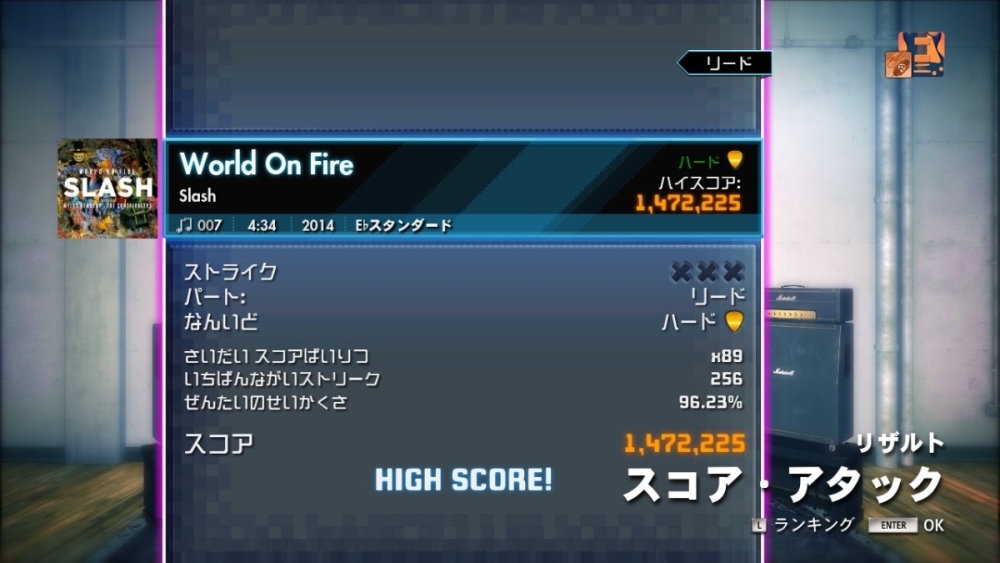
Masterclass: Slash ft. Myles Kennedy & The Conspirators - World On Fire (8.5) (Eb Standard) selected by Mikson
God of Guitar: Brothers of Metal - Prophecy of Ragnarök Album (10) (C# Drop B) selected by @ Nacholede  [Week 3 of 4]

Rhythm Path:
Beginner: sanah - Szampan (2.5) (E Standard) selected by kayteck
Intermediate: Hollywood Undead - California Dreaming (4.5) (Drop D) selected by loudly
Advanced: Slash ft. Myles Kennedy & The Conspirators - World On Fire (7*) (Eb Standard) selected by Mikson
Masterclass: Grateful Dead - Scarlet Begonias (7.5) (E Standard) selected by jellisjenius
God of Rhythm: Brothers of Metal - Prophecy of Ragnarök Album (7) (C# Drop B) selected by Nacholede [Week 3 of 4]

Bass Path:
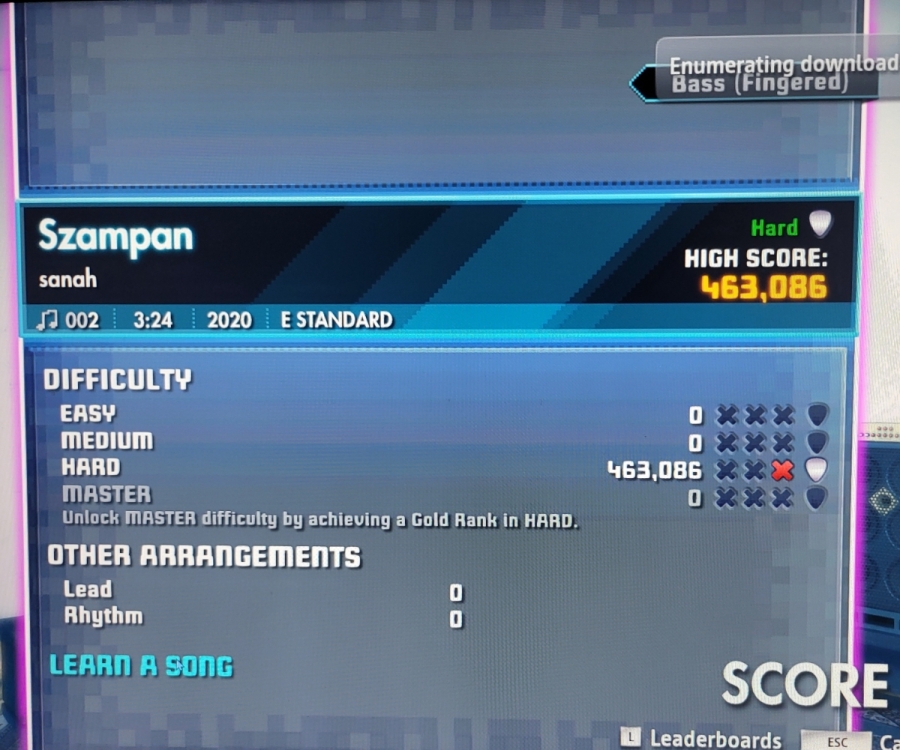
Beginner: sanah - Szampan (3*) (E Standard) selected by kayteck
Intermediate: Hollywood Undead - California Dreaming (5.5^) (Drop D) selected by loudly
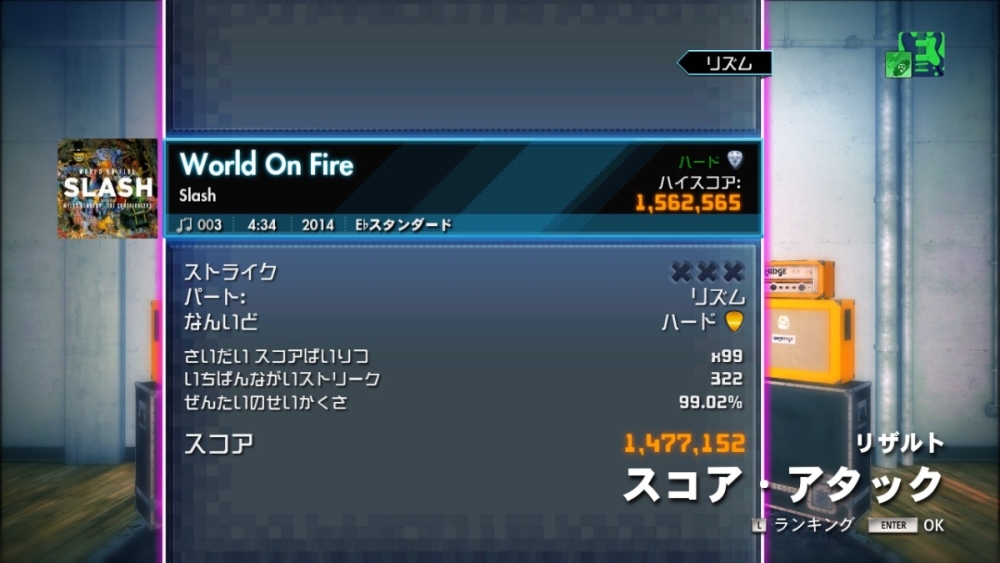
Advanced: Slash ft. Myles Kennedy & The Conspirators - World On Fire (7*) (Eb Standard) selected by Mikson
Masterclass: Grateful Dead - Scarlet Begonias (8) (E Standard) selected by jellisjenius
God of Bass: Brothers of Metal - Prophecy of Ragnarök Album (6) (C# Drop B) selected by Nacholede [Week 3 of 4]

(N) - difficulty rating
(N*) - highest difficulty rating for the class (promotion to higher class possible)
(N^) - difficulty rating higher than the highest for the class (promotion possible)


Check current week Rocksmith Championship Leaderboard


You can submit your song suggestions for the championship here
NEW! - easly add songs even on your mobile!:
Add Song Suggestion

Song Suggestions List available to view here: Google Sheets Spreadsheet

Share with us your opinion on this weeks songs difficulty scores (1-10).

Classless, Fearless FreeBird Members in their endless battle with the fb police: 2groggy
  • Replies 90
  • Views 9.1k
  • Created
  • Last Reply

Top Posters In This Topic

Most Popular Posts

  • aNDESmASAMUNE
    aNDESmASAMUNE

    🎶🎸🌏 CHAMPIONSHIP DAY!!! 🌏🎸🎶 YEEEAAAHH!!!! 🤟🤩🤟🤩🤟🤩🤟🤩🤟🤩 Loudly came over to my place and we did sight readings of this week songs!! Had great fun together. We playe

  • Bass I rated this a bit too low first time, the riff at the 12th fret and the quick transition down makes it more than a 2.5. Although I succeeded in this attempt. Type of chart proble

Posted Images

Featured Replies

improved lead MC, with red flag attached ;D

2024-05-01-22-33-44-Rocksmith-2014.png


rhythm MC

I don't get along well with octaves on the D string

?imw=5000&imh=5000&ima=fit&impolicy=Lett


Thanks to everyone for your suggestions on playing low tunings.  I'll experiment with some heavier strings and maybe have my action checked out as well.   In the meantime I thought I'd check with one of the E Standard songs first:

image.thumb.jpeg.4d167f8860b2046d7e168f484e33baef.jpeg

  • Author

Bass

I rated this a bit too low first time, the riff at the 12th fret and the quick transition down makes it more than a 2.5. Although I succeeded in this attempt.

20240427193748-1.jpg

Type of chart problematic for difficulty rating. Generally, this is not so difficult because we playing mainly on one string and similar frets, but the large number of pull-offs makes it easy to get misses.

20240428004820-1.jpg

Need to improve!

20240427233534-1.jpg

This is a really difficult chart to get high accuracy in Rocksmith. I feel like I got a lot of random misses here. But it's really fun to play!

20240501232757-1.jpg


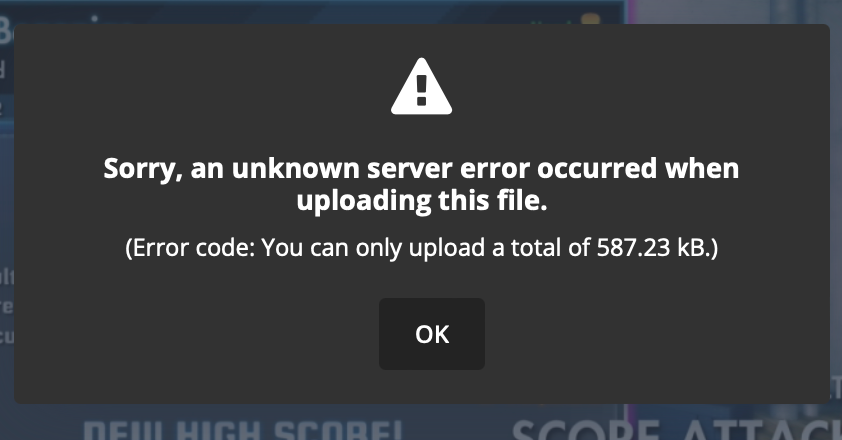
Any suggestions on this error message?  My upload quote is reduced each time, can't even upload a screenshot of reduced resolution anymore.. thanks 


image.png.48c213123abb135ee8fa368e37dbbf52.png


34 minutes ago, jimmy655 said:

Any suggestions on this error message?  My upload quote is reduced each time, can't even upload a screenshot of reduced resolution anymore.. thanks 

image.png.48c213123abb135ee8fa368e37dbbf52.png

Too many files I think jimmy. It will only let you upload a few here. You need to upload them to steam instead.

Daz40 posted some instructions i followed.


"You need to click on your screenshots then right click and save link address And paste In here.

1. F12 to take the screen shot.
2. Shift + Tab opens the steam overlay while the game is still running. Click on screenshots and upload the ones you want.
3. Either close or Alt+Tab from the game and open the steam client.
4, Click on 'your name' >> content >> screenshots.
5. Left click on the shot you want to post,. It should spawn a smaller window with your screenshot in it.
6. Right-click on the shot and choose "Copy Link Address". Or click again and hit Ctrl+C
7. Ctrl+V the link in the reply box on CustomsForge. It will auto-replace your link with an image."


2 hours ago, Flingleper said:

Too many files I think jimmy. It will only let you upload a few here. You need to upload them to steam instead.

Daz40 posted some instructions i followed.

"You need to click on your screenshots then right click and save link address And paste In here.

1. F12 to take the screen shot.
2. Shift + Tab opens the steam overlay while the game is still running. Click on screenshots and upload the ones you want.
3. Either close or Alt+Tab from the game and open the steam client.
4, Click on 'your name' >> content >> screenshots.
5. Left click on the shot you want to post,. It should spawn a smaller window with your screenshot in it.
6. Right-click on the shot and choose "Copy Link Address". Or click again and hit Ctrl+C
7. Ctrl+V the link in the reply box on CustomsForge. It will auto-replace your link with an image."

Thanks very much, I think I've got a handle on the screenshot upload via Steam link now. There are minor variations on a Mac (fn + F12 since F12 is volume, and ordinary click since there is no left-right click), but other than that the step-by-step instructions made it work.   Here is a gratuitous demo just to verify that it works:

?imw=5000&imh=5000&ima=fit&impolicy=Lett

?imw=5000&imh=5000&ima=fit&impolicy=Lett


reposting above  bc it didn't get caught by the auto score.


Grinded out California Dreaming. Got a better score with a shorter scale guitar (Dangelico) vs my normal Jazzmaster. Not sure if it really was the guitar but whatever works!


?imw=5000&imh=5000&ima=fit&impolicy=Lett

🎶🎸CHAMPIONSHIP NIGHT!!!!

YEAAHH!! 🤟🤩🤟🤩🤟🤩

---

Now my class in Lead....

I like this kind of 70s song and the way they use the guitar... fun to play and good practice!

Did a quick RR session but could NOT get to the 90%... 😅

I had some recognition issues with the solo, and I think maybe I need to fix the intonation, but I dont now how to do that! 😕

20240504002134-1.jpg


Hi,

Here is my poor performance at advanced song. Master one was very hard to me this time and I didnt have time to improve on that.

https://imgur.com/VqpeL5D


Repent, then, and turn to God, so that your sins may be wiped out, that times of refreshing may come from the Lord.
Acts 3:19 NIV


Too fast for me this week. Second lap I had a lucky run of 91 but consistently mid to high 80's after 12 runs at it on this account only. Might be a bit of an intonation issue but mostly operator error I believe.

?imw=5000&imh=5000&ima=fit&impolicy=Lett

?imw=5000&imh=5000&ima=fit&impolicy=Lett


20 hours ago, aNDESmASAMUNE said:

I had some recognition issues with the solo, and I think maybe I need to fix the intonation, but I dont now how to do that! 😕

I concluded it probably didn't have to do anything with my setup, kept checking everything with my intonation and tried all sorts of settings. I have the same problems in the solo parts as you do. they are not hard to play cleanly and RS still has issues with the recognition.
For other songs that have the same notes in them, it works just fine for me like 'Muse - MK Ultra' 

Last week we had issues with recognition as well. After the map creator posted an update with the same trouble-making notes in the map the recognition has improved for some reason, at least a bit.

The game is quite old already so I think someone probably has way more information/knowledge about it but I feel like there has to be something going on just with how the game can end up handling the maps differently and struggles with certain patterns 😢

Join the conversation

You can post now and register later. If you have an account, sign in now to post with your account.
Note: Your post will require moderator approval before it will be visible.

Guest
Unfortunately, your content contains terms that we do not allow. Please edit your content to remove the highlighted words below.
Reply to this topic...

Recently Browsing 0

  • No registered users viewing this page.


Important Information

By using this site, you agree to our Guidelines. We have placed cookies on your device to help make this website better. You can adjust your cookie settings, otherwise we'll assume you're okay to continue. - Privacy Policy

Configure browser push notifications

Chrome (Android)
  1. Tap the lock icon next to the address bar.
  2. Tap Permissions → Notifications.
  3. Adjust your preference.
Chrome (Desktop)
  1. Click the padlock icon in the address bar.
  2. Select Site settings.
  3. Find Notifications and adjust your preference.