Skip to content

Rocksmith 2014 Championship Week 657

Welcome to the CF Rocksmith 2014 Championship!

-= Week 657 =-


=> How and Why join the Championships?
=> Rocksmith 2014 Championships rules

Previous’ week Winners are:

Lead:
- Beginner: @EmbraceTheAbsurd (86)
- Beginner Bonus:
@EmbraceTheAbsurd (89)
- Intermediate:
@Daz40 (94)
- Intermediate Bonus:
@behemoth8888 (97.58)
- Advanced:
@cacahuate51 (97.26)
- Masterclass:
@shaggy_malagy (94)

Rhythm:
- Beginner:
@EmbraceTheAbsurd (87)
- Beginner Bonus:
LOST TROPHY
- Intermediate:
@behemoth8888 (96.87)
- Intermediate Bonus:
@behemoth8888 (97.5)
- Advanced:
@jimmy655 (94.29)
- Masterclass:
@LuZifeR (95)

Bass:
- Beginner:
LOST TROPHY
- Beginner Bonus:
LOST TROPHY
- Intermediate:
@Vodka (99)
- Intermediate Bonus:
@behemoth8888 (99.52)
- Advanced:
@Mikson (97)
- Advanced Bonus:
@Mikson (96)
- Masterclass:
@jimmy655 (97.57)


Congrats to all winners. Well done!
This week’s songs are:


Lead Path:
Beginner:
Ally Nicholas - Killing (2) (Drop D) selected by Mage_Gage
Intermediate:
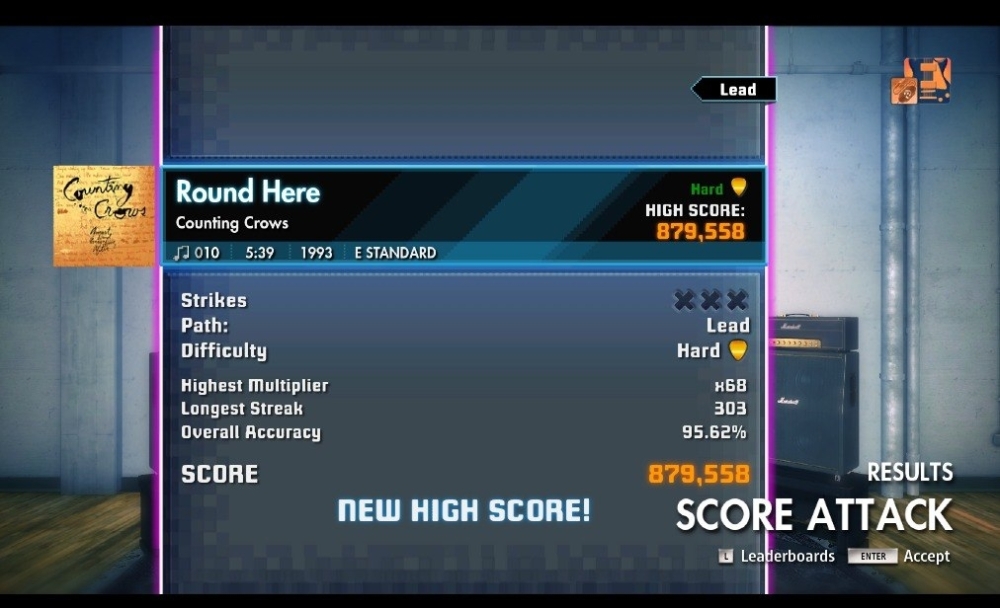
Counting Crows - Round Here (5*) (E Standard) selected by RoboLechuga
Advanced:
Ted Nugent - Hey Baby (7*) (E Standard) selected by Daz40
Masterclass:
Dream Theater - The Spirit Carries On (8) (E Standard) selected by avastreg

Rhythm Path:
Beginner:
Ally Nicholas - Killing (2) (Drop D) selected by Mage_Gage
Intermediate:
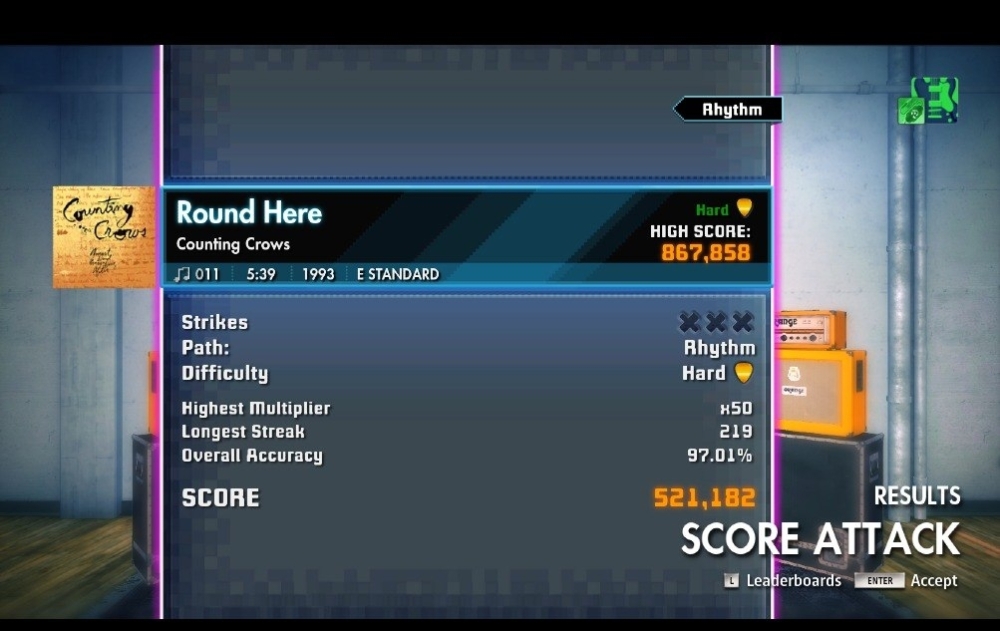
Counting Crows - Round Here (5*) (E Standard) selected by RoboLechuga
Advanced:
Ted Nugent - Hey Baby (6) (E Standard) selected by Daz40
Masterclass:
Dream Theater - The Spirit Carries On (7) (E Standard) selected by avastreg

Bass Path:
Beginner:
Ally Nicholas - Killing (1) (Drop D) selected by Mage_Gage
Intermediate:
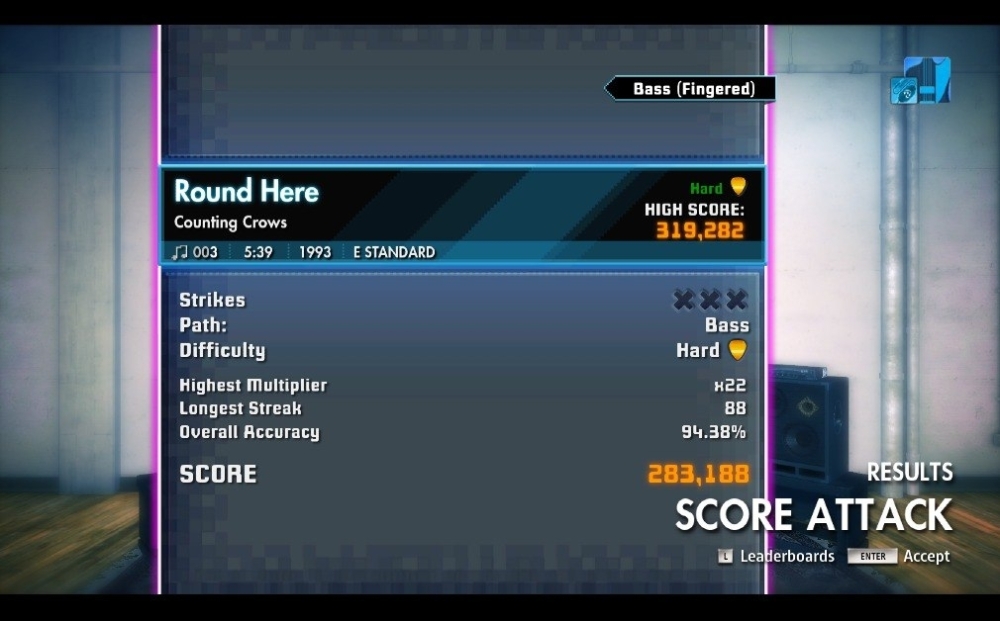
Counting Crows - Round Here (4.5) (E Standard) selected by RoboLechuga
Intermediate Bonus:
Dream Theater - The Spirit Carries On (5*) (E Standard) selected by avastreg
Advanced:
Lake Street Dive - Hypotheticals (Edit) (6) (E Standard) selected by RoboLechuga
Advanced Bonus:
Ted Nugent - Hey Baby (5.5) (E Standard) selected by Daz40
Masterclass:
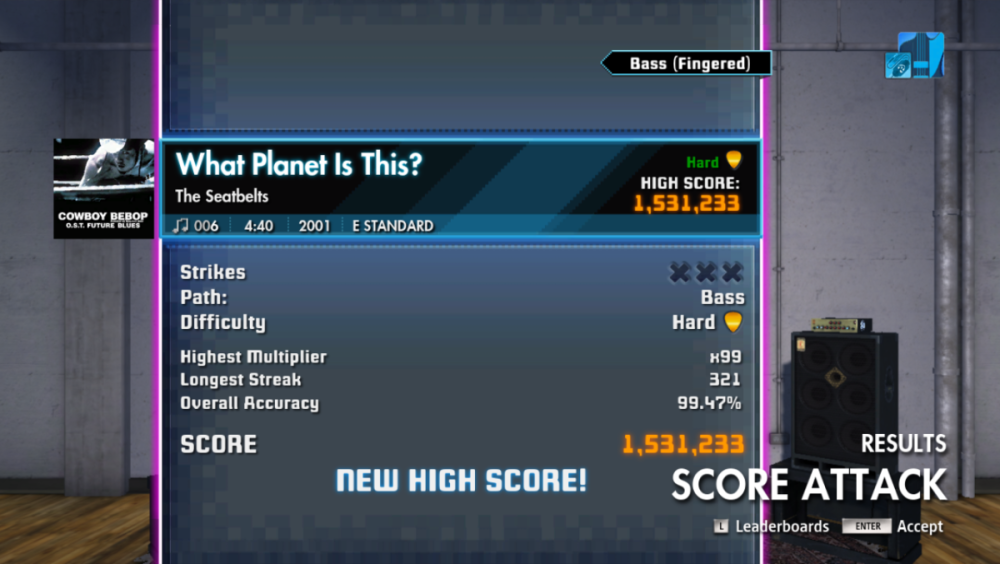
The Seatbelts - What Planet Is This (8) (E Standard) selected by Emmy-Dell

(N) - difficulty rating
(N*) - highest difficulty rating for the class (promotion to higher class possible)
(N^) - difficulty rating higher than the highest for the class (promotion possible)


Check current week Rocksmith Championship Leaderboard


You can submit your song suggestions for the championship here
NEW! - easly add songs even on your mobile!:
Add Song Suggestion

Song Suggestions List available to view here:
Google Sheets Spreadsheet

Share with us your opinion on this weeks songs difficulty scores (1-10).

Do you want to host a week? Join the Championship organizing team!!!
The process is smooth and there is a tutorial as well. If you are interested, send a personal message to
Rodman.

  • Replies 89
  • Views 4.6k
  • Created
  • Last Reply

Top Posters In This Topic

Most Popular Posts

  • drand
    drand

    Thanks for the week @robolechuga! This song is grooovy 🤘😁 Love it! Off to a concert let's gooo, hope everyone is having a good weekend 😊 & Hope you're feeling better @jimbobmccecil

  • pedropmf
    pedropmf

  • cacahuate51
    cacahuate51

    Fun varied week for bass, thanks @robolechuga! Hypothetically, it is the one I enjoyed the most this week ah i memba selecting a song for the seat belts in the tv show week. https://customsforge

Posted Images
Featured Replies

image.png

Repent, then, and turn to God, so that your sins may be wiped out, that times of refreshing may come from the Lord.
Acts 3:19 NIV


No image preview

Steam Community :: Screenshot

Steam Community: Rocksmith® 2014 Edition - Remastered.
No image preview

Steam Community :: Screenshot

Steam Community: Rocksmith® 2014 Edition - Remastered.

I can't do it anymore. You just make NO mistake in intro, get MISS by the game and fall down to 95%. And then just MISS and MISS again just for fun in that acoustic part on 1-3 strings even if you do not move.

LexuWZ.jpg

On 8/8/2024 at 10:09 AM, Rodman said:

Give your heart and your soul.....
        ....... for that damn Rock´n´Roll!

---
I'm not a native English speaker. Sorry for mistakes.

I4kc0z.jpg

On 8/8/2024 at 10:09 AM, Rodman said:

Give your heart and your soul.....
        ....... for that damn Rock´n´Roll!

---
I'm not a native English speaker. Sorry for mistakes.

too much for me, but I had to try 😁🤣

5823542287340867179.jpg

5805180602070798225.jpg

5805180602070798221.jpg

5805180602070798215.jpg

5825586051823635825.jpg

5821290487527181865.jpg

5816929944670507391.jpg

@aNDESmASAMUNE btw that AI image is hilarious 😂 Now I wonder how we would all look if made by AI 🤣 It would be fun to have one for each of us, like a tiny image/icon/emoji, and place it next to the winner's name 😆😅 But that's too much work 😅 Anyway I hope you all have missed me 😁🤣

Improvements

20260530131804-1.jpg

I could get closer to 99 here but chord recognition doesn't allow it.

20260530132549-1.jpg

@ALSRC Great result, congrats! I don't feel like fighting for 100% and hoping for a better score 😉

20260530133444-1.jpg

  • Rocksmith Championship Organizer
15 hours ago, jimmy655 said:

Is the version with modified scroll speed available to download? Or is this something that I could do myself relatively easily? I don't have any prior experience making or editing CDLC.

Yes like @Mikson showed or even easier with the CFSM - customsforge song manager available 3 or 4 clicks away (you also will want to have that one to repair unrepaired songs and to find duplicates in your library for example) there you can instantly adjust scrollspeed and all other stuff you like from any cdlc.

-= Building a Guitar from Scratch with Absolutely No Woodworking Experience =-
-= Rodmans Shred Course =-
-= ROCK - Rodmans Course for Kids and Beginners =-

V I
-= Use your DLC library on multiple PCs w. autoupdate =- 

-= Join the Championship - cause the Championship is good for you =-
-= What´s my RANK again??? - check the 10-weeks Leaderboard and PLAYER Level =-
-= Put the Songs you want to be played into SONG SELECTION LIST =-


On 11/8/2016 at 8:32 PM, Vodka said:

I hated Royal Republic prev. time. I hate it this time too.

UPD: OK. I hate every song. I guess I need to stop.


Thanks to @Mikson for the info about slowing down the scroll speed. That helped quite a bit, I think I could squeeze a bit more out of the song if I had more time.

?imw=5000&imh=5000&ima=fit&impolicy=Lett

seatbelts2.png

Repent, then, and turn to God, so that your sins may be wiped out, that times of refreshing may come from the Lord.
Acts 3:19 NIV


New week here, thanks for playing! 😄


11 hours ago, Mikson said:

I edited it in DCL Builder. It's very easy and quick, and I think it might be useful in the future, so:

After downloading, installing and running https://ignition4.customsforge.com/tools/DLCBuilder

Select File and Import PSARC file. Then, select the CDLC you want to import and where to extract it.

Builder1.jpg

After a moment, you'll have a menu ready to go, where you can modify various things, such as scroll speed (it was 3.0 here, while the current standard is 1.3), tuning, and you can also edit tones, boost them if they're too quiet, or change them to one of the available DLCs. Basically, everything except directly editing the chart, which requires importing project into chart creation program.

Builder2.jpg

After editing something, just click Build Test or Build Release and the modified CDLC will appear in the previously selected folder.

You can also import P.SARC (quick edit ) and It will change the file without having to build another release ( I think)

missed guitar

20260530224305-1.jpg

20260530235305-1.jpg

20260531001654-1.jpg

20260531040147-1.jpg

Join the conversation

You can post now and register later. If you have an account, sign in now to post with your account.
Note: Your post will require moderator approval before it will be visible.

Guest
Unfortunately, your content contains terms that we do not allow. Please edit your content to remove the highlighted words below.
Reply to this topic...

Recently Browsing 0

  • No registered users viewing this page.


Important Information

By using this site, you agree to our Guidelines. We have placed cookies on your device to help make this website better. You can adjust your cookie settings, otherwise we'll assume you're okay to continue. - Privacy Policy

Account

Navigation

Search

Search

Configure browser push notifications

Chrome (Android)
  1. Tap the lock icon next to the address bar.
  2. Tap Permissions → Notifications.
  3. Adjust your preference.
Chrome (Desktop)
  1. Click the padlock icon in the address bar.
  2. Select Site settings.
  3. Find Notifications and adjust your preference.