# tones
-
Hi guys, I have a question for all of you. I was studying a song made by Nacho (who is one of the best CDLC creators), namely "The best of times" from Dream Theater. I wrote to him back that on the solos the tones are not the best as I get strange noises out of the guitar, but he told me that for him everyhting is right and nobody else said anything. So I thought that this might have something to do with my audio setup. I have the same problem with other CDLCs like the ones from Gary Moore whi
- 25 comments
- 17,794 views
-
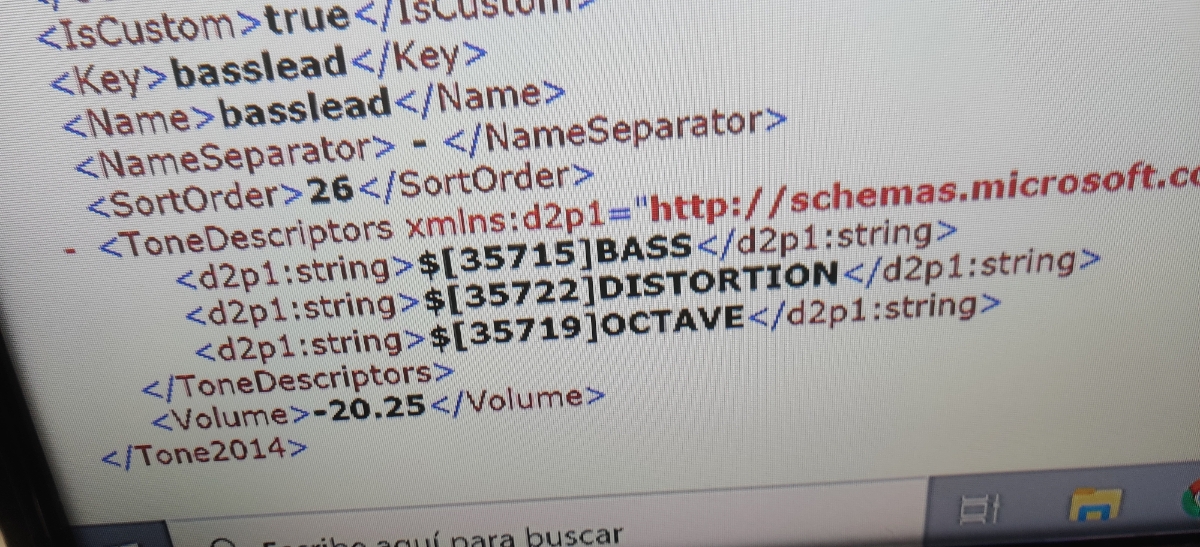
How can I make tones like 'lead phaser', 'distortion processed', 'acoustic octave' etc.? I've seen these kind of tones even in cdlcs so I know it's possible I've tried importing the tone, for example 'overdrive tremolo' from 'spiderwebs' by no doubt In the toolkit the tone type is marked as 'tremolo' and also in the game it just shows as 'tremolo' There's also a cdlc ('how did we get so dark' by royal blood) with a bass distortion lead (or something like that) tone I
- 2 comments
- 1,805 views
-
Hello everyone. So the story is: I have a favorite song which i want to make a cdlc from. It is known song - Young Lust ftom The Wall CD1, but i wanted to do it with my own "simplified and adjusted for dummies tab". And by now I have only one trouble: Tone doesnt switch back to "clean" after Solo. I did everything as mentioned here - added only two switches (to solo and back), defined default tone as clean. It starts well and switches to solo, but doesnt switch back. Can anyone help me
- 5 comments
- 1,958 views
-
Apologies in advance if this is something that is not allowed but I could not find anything that says something regarding this subject. So a while back looking through these forums I managed to find a link that took you to official tones of the Rocksmith songs that you needed to import via buying them from Steam along with all the DLC that had come up to that point. Seeing how I still have that file it has been quite handy in making songs with the best sounding tones. I am looking now to impro
- 1 comment
- 1,969 views
-
I've created a chart that has multiple tone changes, the 1st tone change is fine but the rest of them stay ob the same tone. I haven't done anything to the tone slots in the toolkit and I've made sure that all the changes in eof are correct so i'm not sure why it is happening. Any help would be great.
- 3 comments
- 1,588 views
-
I need help that I can't find the answer to and hope to god someone has it. After I played a custom just today I experienced the dropped tone glitch that happens to me, as always, I unplugged the real tone cable and plugged it back in to regain the connection. But this time the tone glitched out and went to all clean tones, no matter which tone I chose. So I restarted my game but I still only have clean tones....... this is not good, I NEED my tones back. Please god tell me there is an easy solu
- 7 comments
- 3,854 views
-
I'm having some trouble with finding out what tones are what in RS custom toolkit. I really want to make more customs, but i suck at making tones, i dont know how to choose what time they switch at or even how to make them in general. Could i get some help?
- 4 comments
- 1,760 views
-
I've noticed that hardly any RS player posts their tone. It drives my nuts because it's something I always enjoyed doing and I love hearing other tones that players have created. Do you have a tone you're proud of? Feel free to post tones you have made.
- 9 comments
- 7,720 views
-
Sorry if the workaround was mentioned earlier. But I wasn't able to quickly find a solution here. The problem is that after a while (even after 1 song sometimes) the tones stop working at all. I mean that I could hear only clean guitar strings. I've seen in some topic that it somehow connected to using CDLC, thus I think in 'vanilla' Rocksmith there is no such problem. But is there any workaround? Because I'm tired of relaunching Rocksmith after a couple of songs. I play under Win10, and I coul
- 3 comments
- 2,205 views
-
Can't find an answer to this, thought I am sure it's here somewhere. What's the situation with cdlc and tones. If a cdlc is downloaded will it sometimes have a custom tone with it, do I need to get custom tones somewhere separately, do cdlc use a tone from the game that is as close as possible, do I just need to select the closet tone that's already in rs2014 and if so are there suggestions for these or can I just not use custom tones with cdlc? Think I have exhausted all the possibilities I
- 6 comments
- 4,781 views
-
There are two common issues that are affecting the quality of CDLCs here, and I'd like to extend this request to anyone and everyone making CDLCs. I apologize if this is the wrong forum, and I realize that the best and most direct approach is to contact the developer, but in this case it's almost too much work, so while I work on my boilerplate replies, I'd just like to give everyone a heads up in case they're about to upload a "less-than-awesome" CDLC. I'm relatively new to guitar and extreme
- 6 comments
- 4,133 views
-
Is there any way to have a tone switch mid song that one creates and if so how do i do it. For example if i wanted to go from a clean tone to an overdrive how would i do that. I also would like to know what the download link is. I know its where people go and it downloads the cdlc for them but how would i get one so i get a link so people can download my song
- 2 comments
- 2,033 views
-
I'm having lots of trouble getting tone changes to work, I've put the names in the eof, then assigned them to the gui, and i still can't get them to switch in game. Would someone please help. :c
- 12 comments
- 7,765 views
-
Is there a tool or program to check your CDLC for missing tones? It seems every time I play, My tone dies. and by the time i realize I have no idea what song caused it but I play different songs all the time, so there are likely several that are causing it. So a tool that can go through, Identify what ones ones are missing the tone, maybe even auto add in the default would be nice, as it would stop the tone from dying, (which then causes me to exit the game to go back in.) I know there's a
- 6 comments
- 3,396 views
-
Hi I started working on my first customs and have quickly realised that its not going to sound very good if there is no tone and I am not very good with the tone creator, so I was wondering if anyone would like to help out and create tines for: Green Day - Lazy Bones ( Close to completion) Green Day - Loss of control ( Close to completion) My Chemical Romance - Vampire Money ( Just Started) Thank you and appreciate any help offered :)
- 3 comments
- 2,163 views
-
Hi, can anybody tell me how to make song with auto-changing tones? I have to change tone 2 times: from delay to lead and from lead to delay. How to do it?
- 3 comments
- 2,275 views
-
I'm in the process of making these Foo Fighters' songs from there latest album Wasting Light, "Arlandria" is all tabbed out but is in need of a decent tone. "I should have known" is a jumbled mess, anyone got any good tabs for it? Midway through the song it gets harder to heard the main guitar and as a result I don't know if the tabs I have are right. Thanks :D
- 5 comments
- 2,429 views
-
I have enough people asking for tones or help with tones that I figured I would just upload them all for people to use if they want. I make alot of drastically different customs song styles so there is a pretty big variety to try out. Some with wah trem echo metal tones and some clean tones with effects on some and also the ones I used for game music tones. its in a rar file since uploading individually would be just silly. I wasn't sure which section to put it in so if not here some mod can
- 2 comments
- 1,450 views
-
Does anyone know why a song disables tones on all the game? this is the song that disables my tones http://customsforge.com/page/customsforge_rs_2014_cdlc.html/_/pc-enabled-rs-2014-cdlc/we-are-all-we-have-r2350
- 5 comments
- 2,471 views
-
Hello everyone, Seems like every custom DLC that I download has no tone. Is it just me or is no one checking their tones? I'm kinda new to this but not completely. One out of the 10 songs I downloaded this evening has a tone. I will try playing with a pre-set tone in the options menu to see if that helps, but am I missing something here? I am playing the bass in case you're wondering. Thanks, Uncle
- 6 comments
- 2,581 views