Skip to content

How to add custom songs on Mac

  • Popular Post

How to Use Custom DLC (CDLC) on Mac (2023 Update)


The following instructions are for Rocksmith 2014 Remastered, with the latest update installed.  These instructions may not work for older versions or pirated versions of the game, and I will provide no support for pirated versions.  Please buy the game and support the developer.  Without the game, we would have nothing to play customs with anyway.

Download the patch here : https://github.com/aik002/RSBypass/releases/download/1.8pre2/RSBypass.zip

Video instruction :

To convert PC customs to Mac version :

https://github.com/glebb/rocksmithconvert/releases/download/2.2.0/RSConvert_GUI-2.2.zip


Here are all the steps (read them carefully) :

  • Your user account needs to be an Administrator account.
  • Download the Rocksmith Patch:  https://github.com/aik002/RSBypass/releases/download/1.8pre2/RSBypass.zip
  • Unzip the patch file and double-click on "RUN_PATCH_RS.command" to run the patch.  This will patch the Rocksmith 2014 app file to allow cDLC's to work.   **If you encounter a permissions error, see the note below**
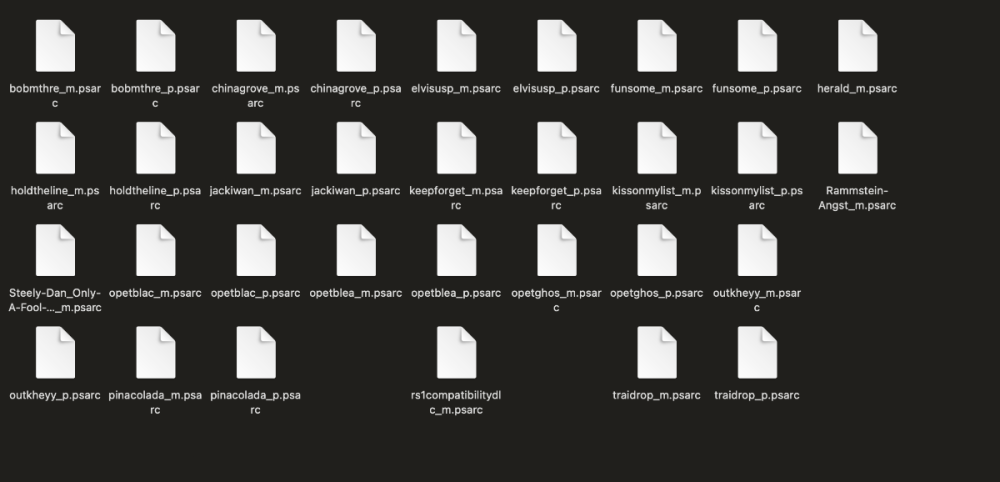
  • Download the customs you want. Make sure they end in "_m.psarc". If they end in "_p.psarc" they are PC only versions and will need to be converted with the Toolkit. I'll put instructions for that down below.
  • Place the customs in the dlc folder. The location is: ~/Library/Application Support/Steam/SteamApps/common/Rocksmith2014  
    • It is a hidden folder, so the easiest way to find it is to open Finder, and using the "Go" menu, select "Go To Folder" and paste the location in there. You can then drag the dlc folder to your sidebar to create a permanent link.
    • You can also find the folder by opening Steam and going to your games library and right-clicking on Rocksmith 2014, and choosing "Properties".  Select the "Local Files" tab and click on "Browse Local Files"
  • Launch Rocksmith 2014 by either opening Steam and running it from "Library", or launch it from the Mac Launchpad by clicking on "Rocksmith 2014"
  • Say goodbye to your family, friends, and free time. You won't be seeing any of them for a while.


**If you encounter a permissions error while running the patch:

  1. Right-click on the patch and select "Get Info"
  2. Under "Sharing & Permissions", make sure that all users listed have "Read & Write" permissions.
  3. If they do not, click the small lock icon in the bottom right corner to allow the permissions to be changed, and enter your Admin password.  Then select each user that needs to be changed and alter the permissions.
  4. Repeat for the other two files needed for the patch ("insert_dylib" and "libRYBypass.dylib")


Updated 2023/11/01, confirmed to work until Sonoma OS.

  • Replies 601
  • Views 388k
  • Created
  • Last Reply

Top Posters In This Topic

Most Popular Posts

  • Hey everyone! I am happy to announce that we have a fix! This zip includes the patcher: https://github.com/aik002/RSBypass/releases/tag/1.0 Thanks to help from someone on Discord we found th

  • @Zero_black_zero  For anyone with Mac 64 bit Rocksmith 2014 Remastered issues.  Here's what to do: 1) Uninstall Rocksmith.  Make sure you DELETE the steam folder/files under application support when

  • I cloned the dylib patch source code from GitHub and compiled for M1 and Monterey. Memory mapping and protection work differently on M1 and I don't have an M1 Mac (yet) so it is hard to develop for it

Posted Images
Featured Replies

For those trying this on Tahoe, I had a successful install after working with the most recent bypass:
https://github.com/aik002/RSBypass/releases

Using file info to assign user permissions for all attached files for all users.

Running the recommended sudo commands from terminal from the root directory of the extracted zip.

After the terminal commands are entered, close terminal and double click the command.

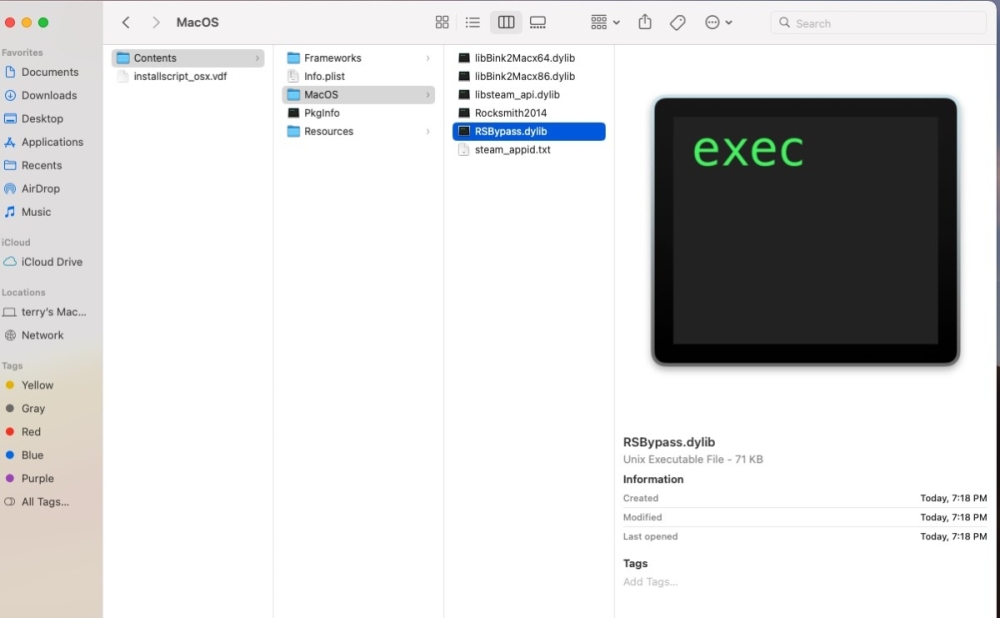
You can confirm that the files were copied by navigating to the application, checking the contextual menu to browse contents, look for the MacOS subdirectory and confirm that bypass file is located there.

The original video also shows running the command again and denying overwriting files. The command itself doesn't look like it should matter, but if it works it works.
Remember to run the RSConvertUI afterwords to assign an AppID for the song with one you have already purchased.

You can do a lookup on steamDB for Rocksmith and the song. An example would be:

steamdb.info/app/590173

Hope more of you are able to get back to it. Cheers.

Join the conversation

You can post now and register later. If you have an account, sign in now to post with your account.
Note: Your post will require moderator approval before it will be visible.

Guest
Unfortunately, your content contains terms that we do not allow. Please edit your content to remove the highlighted words below.
Reply to this topic...

Recently Browsing 0

  • No registered users viewing this page.


Important Information

By using this site, you agree to our Guidelines. We have placed cookies on your device to help make this website better. You can adjust your cookie settings, otherwise we'll assume you're okay to continue. - Privacy Policy

Account

Navigation

Search

Search

Configure browser push notifications

Chrome (Android)
  1. Tap the lock icon next to the address bar.
  2. Tap Permissions → Notifications.
  3. Adjust your preference.
Chrome (Desktop)
  1. Click the padlock icon in the address bar.
  2. Select Site settings.
  3. Find Notifications and adjust your preference.