Jump to content

  • Popular Post

How to Use Custom DLC (CDLC) on Mac (2023 Update)


The following instructions are for Rocksmith 2014 Remastered, with the latest update installed.  These instructions may not work for older versions or pirated versions of the game, and I will provide no support for pirated versions.  Please buy the game and support the developer.  Without the game, we would have nothing to play customs with anyway.

Download the patch here : https://github.com/aik002/RSBypass/releases/download/1.8pre2/RSBypass.zip

Video instruction :

To convert PC customs to Mac version :

https://github.com/glebb/rocksmithconvert/releases/download/2.2.0/RSConvert_GUI-2.2.zip


Here are all the steps (read them carefully) :

  • Your user account needs to be an Administrator account.
  • Download the Rocksmith Patch:  https://github.com/aik002/RSBypass/releases/download/1.8pre2/RSBypass.zip
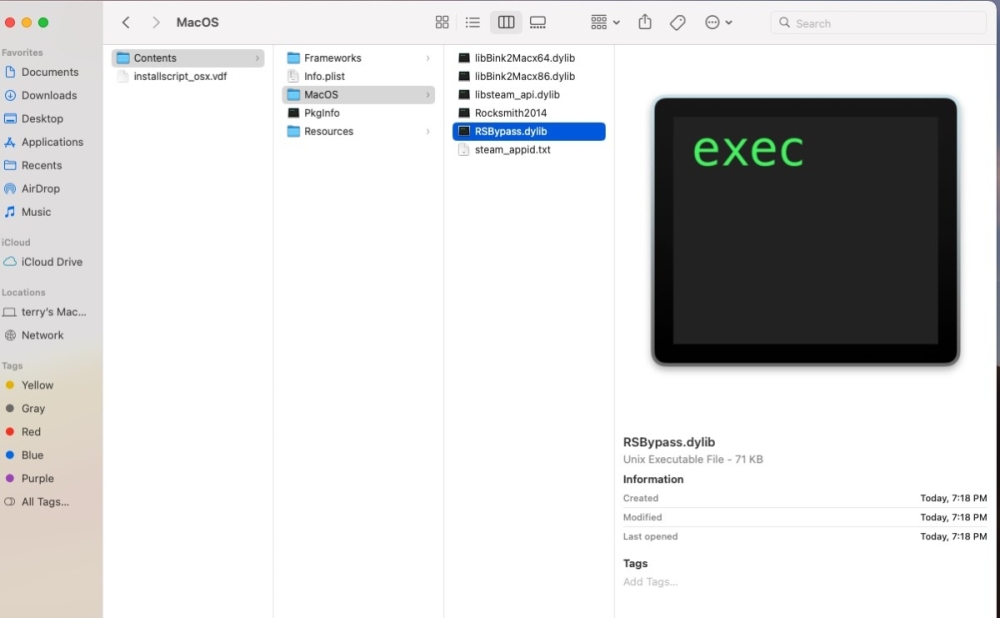
  • Unzip the patch file and double-click on "RUN_PATCH_RS.command" to run the patch.  This will patch the Rocksmith 2014 app file to allow cDLC's to work.   **If you encounter a permissions error, see the note below**
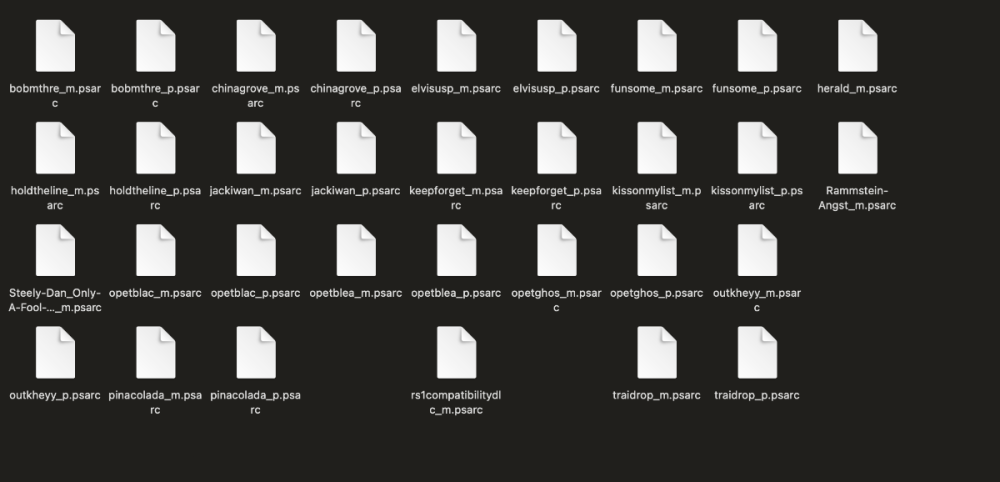
  • Download the customs you want. Make sure they end in "_m.psarc". If they end in "_p.psarc" they are PC only versions and will need to be converted with the Toolkit. I'll put instructions for that down below.
  • Place the customs in the dlc folder. The location is: ~/Library/Application Support/Steam/SteamApps/common/Rocksmith2014  
    • It is a hidden folder, so the easiest way to find it is to open Finder, and using the "Go" menu, select "Go To Folder" and paste the location in there. You can then drag the dlc folder to your sidebar to create a permanent link.
    • You can also find the folder by opening Steam and going to your games library and right-clicking on Rocksmith 2014, and choosing "Properties".  Select the "Local Files" tab and click on "Browse Local Files"
  • Launch Rocksmith 2014 by either opening Steam and running it from "Library", or launch it from the Mac Launchpad by clicking on "Rocksmith 2014"
  • Say goodbye to your family, friends, and free time. You won't be seeing any of them for a while.


**If you encounter a permissions error while running the patch:

  1. Right-click on the patch and select "Get Info"
  2. Under "Sharing & Permissions", make sure that all users listed have "Read & Write" permissions.
  3. If they do not, click the small lock icon in the bottom right corner to allow the permissions to be changed, and enter your Admin password.  Then select each user that needs to be changed and alter the permissions.
  4. Repeat for the other two files needed for the patch ("insert_dylib" and "libRYBypass.dylib")


Updated 2023/11/01, confirmed to work until Sonoma OS.

  • Replies 594
  • Views 340.7k
  • Created
  • Last Reply

Top Posters In This Topic

Most Popular Posts

  • Hey everyone! I am happy to announce that we have a fix! This zip includes the patcher: https://github.com/aik002/RSBypass/releases/tag/1.0 Thanks to help from someone on Discord we found th

  • @Zero_black_zero  For anyone with Mac 64 bit Rocksmith 2014 Remastered issues.  Here's what to do: 1) Uninstall Rocksmith.  Make sure you DELETE the steam folder/files under application support when

  • I cloned the dylib patch source code from GitHub and compiled for M1 and Monterey. Memory mapping and protection work differently on M1 and I don't have an M1 Mac (yet) so it is hard to develop for it
Posted Images
Featured Replies

On 12/18/2020 at 10:55 PM, Ffio said:

If your game freezes, you need to redo the patch. If that doesn't work, you may need to reinstall the game and reapply the patch. The patch is confirmed to work on the newest patch by a couple people in the Customsforge discord.


Thanks a ton. I haven't played in three weeks due to moving, so I was wonder why the fuck neither of my RS cables suddenly weren't working. I was able to fix that problem by following these steps. 

Coul dneed some help here:


I follwoed the steps from the very first page with a downloaeed psarc file in the dlc folder. The song did just not appear.

I then tried with another patch listed on page 17. The app then immedeialty crashey after staring in.

I am on Mac Big Sur. Any advice what could have gone wrong? Thx

  • 4 weeks later...


Hello guitarists!

I saw on the forum that many of you encounter untimely crashes when you launch a music, just after tuning your guitar. I found the problem!

Once you have launched the patch, copy and paste the two attached files :

- insert_dylib
- libRSBypass

directly in the folder at the root of the game (steam > steam apps > common > Rocksmith2014).

Once done, the game should work normally. However, run the game from your steam library.

Have a good workout!


Hi guys. Can you please tell me how to add songs to Roxmith on Mac, if the songs are made for PC? I found information that I need to download the program https://www.rscustom.net/, but when I tried to open it, the error appeared
"Cannot launch RocksmithCustomSongToolkit
RocksmithCustomSongToolkit requires the Mono Framework version 2.8 or later.
-Cancel -Download...(link)" . And then I tried to download and install Mono 6.12.0 https://www.mono-project.com/download/stable/#download-mac, but the problem did not dare and the error does not allow to enter the program. (MacOS Catalina 10.15.7 Macbook Pro 13' 2017). 
And please tell me how the game works for big sur, can it be painlessly updated?

Снимок экрана 2021-02-17 в 22.04.55.png

So I've downloaded the patch and it opened fine, and I've done every other step, but I can't find a Steam or Rocksmith folder on my mac. I don't know much about computers, so maybe this is a stupid oversight, but I only have the applications. Theres no separate folder for them to put dowloaded songs into 

Any help is appreciated 

1 hour ago, SukkerNon said:

So I've downloaded the patch and it opened fine, and I've done every other step, but I can't find a Steam or Rocksmith folder on my mac. I don't know much about computers, so maybe this is a stupid oversight, but I only have the applications. Theres no separate folder for them to put dowloaded songs into 

Any help is appreciated 

Ignore this, I've found the folder. Now I'm having the problem that the songs aren't showing up though

  • 3 weeks later...

Same Problem, Game freezes in the CDLC by the Amps. Nothing seems to work. Mac Os Catalina 10.15.3. Could someone please help ?

Can someone explain how it supposed to look like when the Patch works ? It runs something in the Terminal for me but I stell get a Problem Message that the Programm cannot be opened ?

14 hours ago, Spiezid said:

Same Problem, Game freezes in the CDLC by the Amps. Nothing seems to work. Mac Os Catalina 10.15.3. Could someone please help ?

Can someone explain how it supposed to look like when the Patch works ? It runs something in the Terminal for me but I stell get a Problem Message that the Programm cannot be opened ?

Can you grab a screenshot or copy paste the text from the terminal when you run the patch?

E.g for me, running the patch produces following output in terminal (I've already run the patch perviously and everything works, and the patcher notices it):

Quote


Last login: Sun Mar  7 09:24:13 on ttys000

/Users/bodhi/Downloads/MAC_Patch/RUN_PATCH_RS.command ; exit;                   

/Users/bodhi  > /Users/bodhi/Downloads/MAC_Patch/RUN_PATCH_RS.command ; exit;

Binary is a fat binary with 2 archs.

Binary already contains a load command for that dylib. Continue anyway? [y/n]


  • 4 weeks later...
On 3/7/2021 at 2:33 AM, glebb said:

Can you grab a screenshot or copy paste the text from the terminal when you run the patch?

E.g for me, running the patch produces following output in terminal (I've already run the patch perviously and everything works, and the patcher notices it):


Just wondering, did you ever have any luck resolving this issue?  I'm having the same problem - just hanging after tuning and staring at the amps...

Clarification:  I've successfully loaded legit DLC (369 tracks) and it works, but it's the CDLC that doesn't work for me.   The CDLC will show up in the song list, but then it just hangs "at the amps" as we say.  I've run the "RUN_PATCH_RS.command" but still not getting the CDLC to work.


  • 2 weeks later...

Hey, does this work with macOS Big Sur? Some time ago there was a warning somewhere that we should not upgrade macOS version, so I did not, but I do not see it anymore and I am thinking of upgrading to Big Sur

  • 2 weeks later...

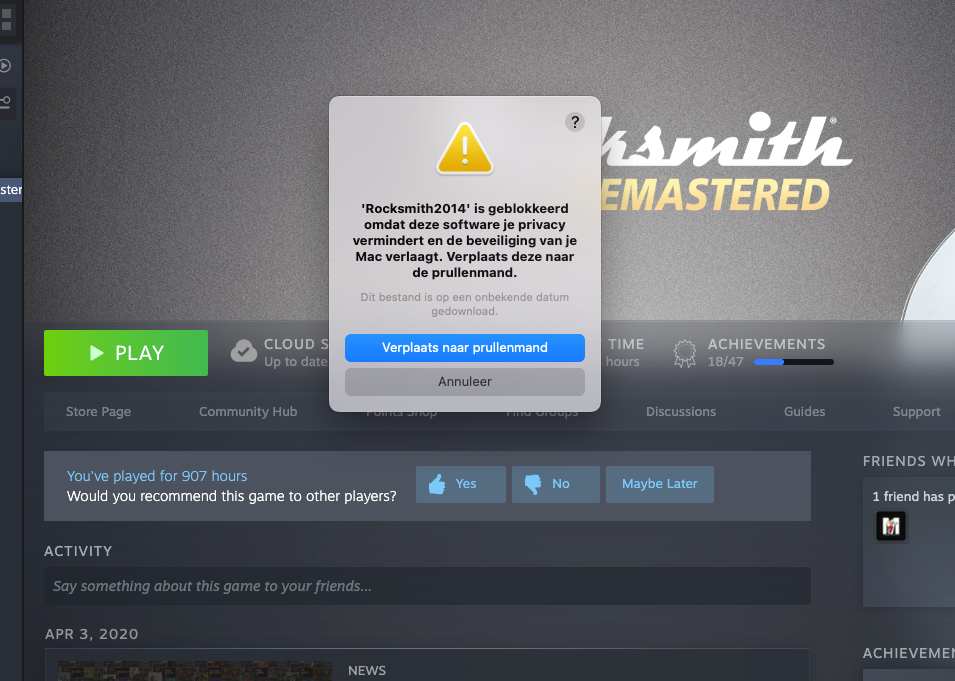
Im running the patch and it comes up "“insert_dylib” cannot be opened because the developer cannot be verified." 

I keep trying it and having no luck.


On 4/14/2021 at 6:22 AM, AsterXr said:

Hey, does this work with macOS Big Sur? Some time ago there was a warning somewhere that we should not upgrade macOS version, so I did not, but I do not see it anymore and I am thinking of upgrading to Big Sur

Yes it works well for Big Sur. I have had vvery little problems using Big Sur compared to when I was using Catalina. You just may have to reinstall the game as there was a microphone issue when I first got it but after that its good to go.

  • 3 weeks later...

I'm stuck...

I uninstalled Rocksmith, reinstalled and patched.  No luck.

I removed all my DLC's, uninstalled, reinstalled, patched, and no luck. 

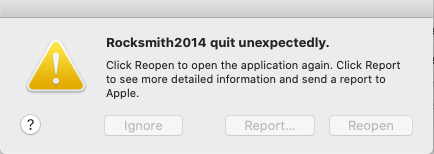
I keep getting "Rocksmith Quit Unexpectedly.  Click Reopen to open the application again. Click Report to see more detailed information and send a report to Apple."

When I launch the patch I get:
 

it;

Binary is a fat binary with 2 archs.

Binary already contains a load command for that dylib. Continue anyway? [y/n] y

Binary already contains a load command for that dylib. Continue anyway? [y/n] y

Binary already contains a load command for that dylib. Continue anyway? [y/n] y

Binary already contains a load command for that dylib. Continue anyway? [y/n] y

Binary already contains a load command for that dylib. Continue anyway? [y/n] y

Binary already contains a load command for that dylib. Continue anyway? [y/n] y

Binary already contains a load command for that dylib. Continue anyway? [y/n] y

Binary already contains a load command for that dylib. Continue anyway? [y/n] y

It doesn't seem like there is enough empty space. Continue anyway? [y/n] y

Added LC_LOAD_DYLIB to all archs in /Users/jon/Library/Application Support/Steam/steamapps/common/Rocksmith2014/Rocksmith2014.app/Contents/MacOS/Rocksmith2014

logout

Saving session...

...copying shared history...

...saving history...truncating history files...

...completed.


Not sure what else to do here....


5 hours ago, HarleyD4d said:

I'm stuck...

I uninstalled Rocksmith, reinstalled and patched.  No luck.

I removed all my DLC's, uninstalled, reinstalled, patched, and no luck. 

I keep getting "Rocksmith Quit Unexpectedly.  Click Reopen to open the application again. Click Report to see more detailed information and send a report to Apple."

When I launch the patch I get:
 

it;

Binary is a fat binary with 2 archs.

Binary already contains a load command for that dylib. Continue anyway? [y/n] y

Binary already contains a load command for that dylib. Continue anyway? [y/n] y

Binary already contains a load command for that dylib. Continue anyway? [y/n] y

Binary already contains a load command for that dylib. Continue anyway? [y/n] y

Binary already contains a load command for that dylib. Continue anyway? [y/n] y

Binary already contains a load command for that dylib. Continue anyway? [y/n] y

Binary already contains a load command for that dylib. Continue anyway? [y/n] y

Binary already contains a load command for that dylib. Continue anyway? [y/n] y

It doesn't seem like there is enough empty space. Continue anyway? [y/n] y

Added LC_LOAD_DYLIB to all archs in /Users/jon/Library/Application Support/Steam/steamapps/common/Rocksmith2014/Rocksmith2014.app/Contents/MacOS/Rocksmith2014

logout

Saving session...

...copying shared history...

...saving history...truncating history files...

...completed.


Not sure what else to do here....


Patch should be applied only once, and it does look like it worked initially. I don't know if it messes something up if done multiple times, but it might. To be safe, maybe do a clean install (or rather 'verify integreity of of game files' from steam, which effectively should download all modified files without reinstalling everything) and apply the patch once again. 

"I uninstalled Rocksmith, reinstalled and patched.  No luck." -> What happens? Do cdlc show up in the game? Original Cherub rock bought and showing up and is playable?

@glebb - I can get RS to load as in I hear the beginning intro, dude says "Rocksmith" and I can even hear scrolling through the menus.  I'm even able to hear a song start up.  I have absolutely zero video... only audio.

6 hours ago, HarleyD4d said:

@glebb - I can get RS to load as in I hear the beginning intro, dude says "Rocksmith" and I can even hear scrolling through the menus.  I'm even able to hear a song start up.  I have absolutely zero video... only audio.

Does this happen with a clean install as well, or only after you have patched the game?

  • 2 weeks later...
On 5/12/2021 at 7:23 AM, glebb said:

Patch should be applied only once, and it does look like it worked initially. I don't know if it messes something up if done multiple times, but it might. To be safe, maybe do a clean install (or rather 'verify integreity of of game files' from steam, which effectively should download all modified files without reinstalling everything) and apply the patch once again. 

"I uninstalled Rocksmith, reinstalled and patched.  No luck." -> What happens? Do cdlc show up in the game? Original Cherub rock bought and showing up and is playable?

Same to me. And it happens at every updated performed by Rocksmith or Steam.
I have no idea on what to do to solve this Problem, but I usually Uninstall, Install e apply patch n-times until it works.
Well, I need to understand why and how to specifically solve this problem, or I'm going crazy.

Any solution? 

  • 3 weeks later...

There is a newer tool that makes it really easy to convert .psarc files from PC to Mac format:

https://github.com/glebb/rocksmithconvert

  • 2 weeks later...

Stuck on hanging amps, only have two CDLC songs. Patch ran successfully so I'm totally at a loss. 

  • 2 weeks later...

Hello guys, I've been trying to use cdlc on mac, but it seems like the patch can't find the location of the game. I haven't changed steam's default install location, and I have tried reinstalling the game a few times. The Cdlcs do show up in game when I launch it, however the game freezes when I try to start a cdlc song. I've seen alot of people talking about issues with Big Sur, but I'm using OSX Mojave 10.14.8.

Here is what I see in terminal when I run the patch.
 

cp: directory /Users/m/Library/Application Support/Steam/steamapps/common/Rocksmith2014/Rocksmith2014.app/Contents/MacOS does not exist

/Users/m/Library/Application Support/Steam/steamapps/common/Rocksmith2014/Rocksmith2014.app/Contents/MacOS/Rocksmith2014: No such file or directory

logout

Saving session...

...copying shared history...

...saving history...truncating history files...

...completed.


[Process completed]


  • 2 weeks later...

Hi, I had to move /  reinstall Steam onto an external drive (done following the Steam support page). So I have a fresh install of the same and  I followed the  usual process to download the patch and put in the RS file (in new location). But running the patch the terminal displays the same message as the previous post with the same location - no surprise file not found in users/library..... does the patch only work if the game is installed here? Weirdly the two dylib files run and correctly pick up the location in the external drive? I'm not seeing the DLC content in RS - plays but just zero CF DLC present?

Join the conversation

You can post now and register later. If you have an account, sign in now to post with your account.

Guest
Unfortunately, your content contains terms that we do not allow. Please edit your content to remove the highlighted words below.
Reply to this topic...

Recently Browsing 0

  • No registered users viewing this page.


Important Information

By using this site, you agree to our Guidelines. We have placed cookies on your device to help make this website better. You can adjust your cookie settings, otherwise we'll assume you're okay to continue. - Privacy Policy

Configure browser push notifications

Chrome (Android)
  1. Tap the lock icon next to the address bar.
  2. Tap Permissions → Notifications.
  3. Adjust your preference.
Chrome (Desktop)
  1. Click the padlock icon in the address bar.
  2. Select Site settings.
  3. Find Notifications and adjust your preference.