# Help!
-
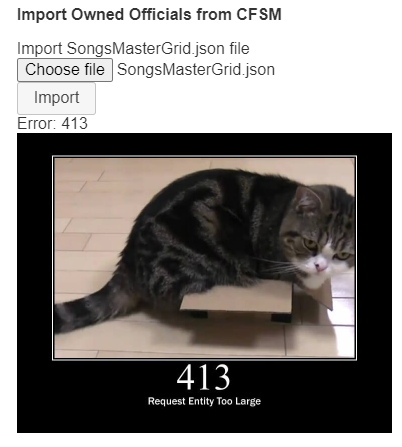
When I try to upload my json file it gives me this error.
- 1 comment
- 3,702 views
-
Hello CustomForge, lately, I've been having problems with Rocksmith 2014. It won't put custom songs in even when I put them in the dlc file. I reset my computer a while ago due to issues so I had to redownload it. The dlc folder had no custom songs but Rocksmith itself had all of my custom songs that I have downloaded. If anyone knows something. That would greatly help.
- 1 comment
- 2,655 views
-
Hey so I have been trying to get CDLC to work forever to no success. Game will not launch. I followed the instructions from: I have download the D3DX9 from link listed above. I have added the file to the ROOT folder. I have Cherub Rock (I have all the DLC the game has to offer). I have even tried different D3DX9 from different sites and I have gotten it to get to the tuning phase but it soft crashes and won't get past the amp screen. I have a pirated version of the game and I am
- 4 comments
- 4,644 views
-
Hi: Does anyone on the forum run Rocksmith 2014 on a laptop? If yes, can you please give me your configuration settings in the ini file because I cannot get Rocksmith 2014 to load on a new Lenovo Z50(AMD FX) laptop? Is there other settings that I should change? Regards, Handy
- 4 comments
- 2,132 views