Jump to content

How to use Custom DLCs in RS2014 Remastered [Updated for 2023]

  • Popular Post

DOWNLOAD CUSTOM SONG FOR YOUR PLATFORM
INSTALL INSTRUCTIONS:


  • Mac:
  • XBox 360: Place files: "_xbox" to "Content>0000000000000000>555308C0>00000002";
     
  • PS3: Install files: "_ps3.psarc.edat" to "/dev_hdd0/game/BLUS31182/USRDIR/DLC",
    if the folder DLC does not exist, just create it.

Note: If you are intending on using Custom DLCs on a PS3 or XBox, you MUST jailbreak your console first! 
Hacking or jailbreaking a console is beyond the scope of what we are doing here, and if you are not comfortable with doing it, you may want to simply buy the PC version of the game.


JUST PLAY IT !
 
All credit to MarineIguana, he created this, I am merely echoing it here.

  • Replies 1.5k
  • Views 2.4m
  • Created
  • Last Reply

Top Posters In This Topic

Most Popular Posts

  • PC: Copy file: "_p.psarc" to "<Rocksmith2014 folder>dlc"; <-------- HUH ???? What does that mean ?

  • dscottintexas
    dscottintexas

    Hello all - thanks for the awesome site and content.  I'm pretty new to Rocksmith and want to load up some of the CDLC songs available here - I also look on the Anvil site (also awesome).  Here is my

  • Forgive my ignorance, but I'm an older fellow and not very knowledgable in computers. It took me approximately 2 hours to set up Rocksmit on my computer. The Steam thingy really threw me off. So with

Posted Images

Featured Replies

  • 2 weeks later...

Flummoxed. I have a PC and it has Cherub rock, and I have done everything in the video as far as I can check it.  I have even downloaded the patch, and ran it.  As a result the patcher.exe  has now appeard in my rocksmith folder.  When I put Rocksmith_custom.exe into the windows box nothing happens and if I search for Rocksmith_custom.exe) it isn't on my computer.  Any ideas?? Please? 

  • 2 weeks later...

I have downloaded the songs I want for PS3 and have put them onto a flash drive. How do I get them onto my PS3?

i have same question, how do you?

  • 2 weeks later...
  • 4 weeks later...


**For those who have 2 hard drives, and Rocksmith is installed not in the boot drive but in the second one.**

You need to create a symlink in the ~/Library/Application Support/Steam/SteamApps/

pointing to /Volumes/<otherdrive>/SteamLibrary/SteamApps/common


Hi, sorry. But how does one do that? 

Oh and also saying the both steam and steam games are on this secondary drive. A little confused. Help is much appreciated. ty!

(changed song ID thingy by usind Prayer Of The Refugee dlc, so don't think thats a problem)


EDIT: used different dll file and it works wonderfully now! Thanks a lot for the cdlc:)

  • 2 weeks later...

Hi, I am new to the dlc stuff but I was able to I download a bunch of songs the other day and place them in the directory. All the songs are showing up in game but they won't play. I click on the song, it lets me tune the guitar then it goes to the screen with the amps on the side and justs stops right there. i ahve to control/alt/delete to get out of the game and start over. All my other songs seem to be working. just not the new dlcs I got from here. Any ideas?


Thanx.


Got it working. The video i originally saw on how to install custom songs didn't mention anything about downloading and copying the D3Dx9 file to the root directory. So  when I checked the "how to page" here, I saw that was what I didn't do. But now I have to go to work. LOL.

Total n00b here…I'm not clear how to install the DLCS onto Xbox 360. Any help or links to a more detailed tutorial would be greatly appreciated.

can someone post a step by step tutorial for the xbox 360 users..cant find it on youtube or here the videos are all for pc users.


Total n00b here…I'm not clear how to install the DLCS onto Xbox 360. Any help or links to a more detailed tutorial would be greatly appreciated.

can someone post a step by step tutorial for the xbox 360 users..cant find it on youtube or here the videos are all for pc users.


Is your xbox modded yet?  If not your wasting your time! It has to be modded before you can use the CDLC on your system..

**For those who have 2 hard drives, and Rocksmith is installed not in the boot drive but in the second one.**

You need to create a symlink in the ~/Library/Application Support/Steam/SteamApps/

pointing to /Volumes/<otherdrive>/SteamLibrary/SteamApps/common

All works again.


RSInjector Mac does not work on a secondary USB-HDD. Symlink is not really helpful.

My Equipment:
Macbook Air 11" early 2014 Yosemite 10.10.2
All attempts have failed. Symlink was created with SymbolicLinker.
Alternative Install via steam  or user account export on sec. HDD and and and was unsuccessful.
Only on the boot HDD it works.


  • 1 month later...

Hello,


I have the PC version of Rocksmith 2014 and a bunch of DLC I've bought.


If I go through this and setup customs, what happens to features like score attack and achievments?


Does RS think every time I play a custom, I'm actually playing cherub rock?


Just wondering because I don't want to mess up my profile and legit DLC by installing custom DLLs and patches.


thanks

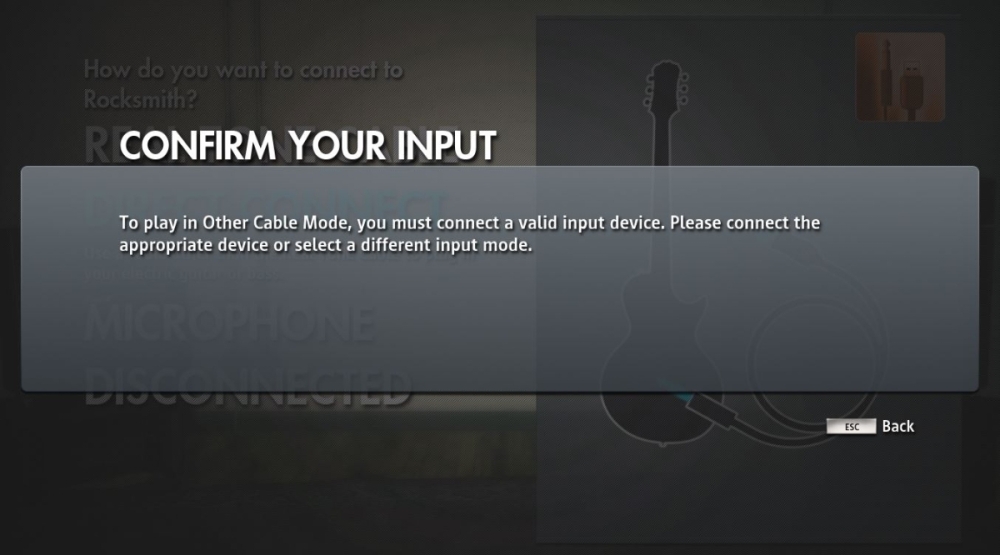
I just got RS2014 and I can't play it unless I open the game through this loader which lets me play without the real tone cable. I've bought Cherub Rock, but I can't see it or any of my downloaded CDLC in game. Help?

  • 1 month later...

Hello i want to buy rocksmith 2014 and i have a question how many cdlc can i have active at same time if i purchase only 1 song?

Hey guys.... my problem is i have the orginal game...ive have downloaded the DLC, installed all the correct files etc and downloaded some CDLCs....when i run the game through the orginal rocksmith.exe all the songs show on my list.  But as i have no cable im running the Rocksmithnocable.exe.  When i start the game with Rocksmithnocable.exe no on the songs show up.  Is there a way around this?

Hi.


I just followed the instructions, and the song(gravity - john mayer) is visible in the game. But when I click it, the game just freezes. Any ideas ? I use a Mac

Does anybody have a good tutorial for the Orignal Rocksmtih? I've downloaded a song but I can't get it to show up, I do have DLC as well.


The customs here are only for RS2014.

Hello, i have read all the pages and havent found anyone with the same problem as me...
 
Im using steam version on pc, bought the cherub rock DLC to make things easyer
 
I followed the tutorial and everything worked great, downloaded some songs as a test and they worked great, then i downloaded some more, and when i try to play them i get a weird error, where the music get stuck at 100% dificulty. I made a video showing the problem because i know that my english is not good enough to explain in details what happens...

https://www.youtube.com/watch?v=b4keCYps9fM

Any help will be greatly apreciated...

Join the conversation

You can post now and register later. If you have an account, sign in now to post with your account.

Guest
Unfortunately, your content contains terms that we do not allow. Please edit your content to remove the highlighted words below.
Reply to this topic...

Recently Browsing 1


Important Information

By using this site, you agree to our Guidelines. We have placed cookies on your device to help make this website better. You can adjust your cookie settings, otherwise we'll assume you're okay to continue. - Privacy Policy

Configure browser push notifications

Chrome (Android)
  1. Tap the lock icon next to the address bar.
  2. Tap Permissions → Notifications.
  3. Adjust your preference.
Chrome (Desktop)
  1. Click the padlock icon in the address bar.
  2. Select Site settings.
  3. Find Notifications and adjust your preference.