Jump to content

How to use Custom DLCs in RS2014 Remastered [Updated for 2023]

  • Popular Post

DOWNLOAD CUSTOM SONG FOR YOUR PLATFORM
INSTALL INSTRUCTIONS:


  • Mac:
  • XBox 360: Place files: "_xbox" to "Content>0000000000000000>555308C0>00000002";
     
  • PS3: Install files: "_ps3.psarc.edat" to "/dev_hdd0/game/BLUS31182/USRDIR/DLC",
    if the folder DLC does not exist, just create it.

Note: If you are intending on using Custom DLCs on a PS3 or XBox, you MUST jailbreak your console first! 
Hacking or jailbreaking a console is beyond the scope of what we are doing here, and if you are not comfortable with doing it, you may want to simply buy the PC version of the game.


JUST PLAY IT !
 
All credit to MarineIguana, he created this, I am merely echoing it here.

  • Replies 1.5k
  • Views 2.4m
  • Created
  • Last Reply

Top Posters In This Topic

Most Popular Posts

  • PC: Copy file: "_p.psarc" to "<Rocksmith2014 folder>dlc"; <-------- HUH ???? What does that mean ?

  • dscottintexas
    dscottintexas

    Hello all - thanks for the awesome site and content.  I'm pretty new to Rocksmith and want to load up some of the CDLC songs available here - I also look on the Anvil site (also awesome).  Here is my

  • Forgive my ignorance, but I'm an older fellow and not very knowledgable in computers. It took me approximately 2 hours to set up Rocksmit on my computer. The Steam thingy really threw me off. So with

Posted Images

Featured Replies

37 minutes ago, Hikikomori said:

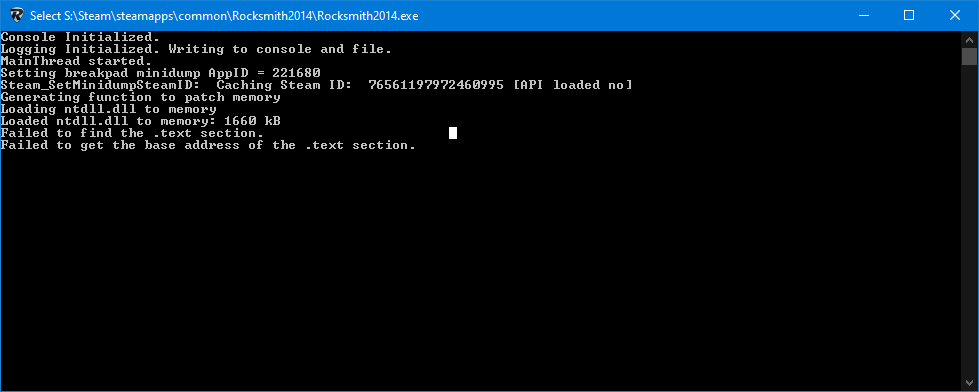
its just cause the exe is different, they're working to repair the cdlc unlocker and dll at this time, it should be somewhat easy to fix, just takes time as we only got access to the game just now.

estara actualizado en esta la pagina donde se descarga?, esta pagina:
https://ignition4.customsforge.com/tools/cdlcenabler

o en otra?

42 minutes ago, Hikikomori said:

its just cause the exe is different, they're working to repair the cdlc unlocker and dll at this time, it should be somewhat easy to fix, just takes time as we only got access to the game just now.

Any idea if there will be any drawbacks to the new exe or is it still to early? Also do you happen to have a link to the discord as the current invite is broken

Hi guys 

I'm having a issue downloading the cdlc to my computer and wondering if anybody found a solution.

I bought rocksmith on my steam account and whenever i try installing the cdlc it says customs forge does not supporte pirated copies of rocksmith. I've tried reinstalling rocksmith doesn't do anything, not really sure what are the other options.

If anyone got a solution would be appreciated.

17 minutes ago, Math1234 said:

Hi guys 

I'm having a issue downloading the cdlc to my computer and wondering if anybody found a solution.

I bought rocksmith on my steam account and whenever i try installing the cdlc it says customs forge does not supporte pirated copies of rocksmith. I've tried reinstalling rocksmith doesn't do anything, not really sure what are the other options.

If anyone got a solution would be appreciated.


1 hour ago, Hikikomori said:

its just cause the exe is different, they're working to repair the cdlc unlocker and dll at this time, it should be somewhat easy to fix, just takes time as we only got access to the game just now.

This is your problem yet the solution is to wait for a new cdlc installer. Sorry about having to make you wait, but we all are so.

I'm in the same boat, I didn't "YARR!" Hoping for a swift update ♥

as of the latest update cdlc doesnt work i bought the game this morning and the installer said was pirated


17 minutes ago, castrmastr said:

as of the latest update cdlc doesnt work i bought the game this morning and the installer said was pirated

Same issue here, just bought the game (finally possible after so many years). Game version is 165.396721

So the cdlc doesn't work with the Rocksmith 2014 Remastered Edition? Because I just bought it

  • Moderator
11 minutes ago, Dextrem said:

So the cdlc doesn't work with the Rocksmith 2014 Remastered Edition? Because I just bought it

it works for rocksmith 2014 Remastered Edition.

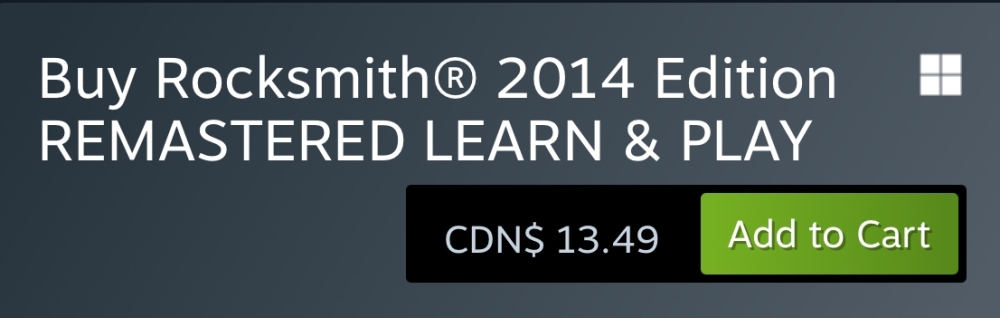
It does not currently work with Rocksmith 2014 Remastered Learn & Play  which is the current version for people did not own the old version, and is currently the one for sale on steam.

Just gotta be patient, its well worth the sale, and eventually a fix will be out for it.

4 hours ago, Hikikomori said:

it works for rocksmith 2014 Remastered Edition.

It does not currently work with Rocksmith 2014 Remastered Learn & Play  which is the current version for people did not own the old version, and is currently the one for sale on steam.

Just gotta be patient, its well worth the sale, and eventually a fix will be out for it.

Well, have to wait then. Thanks for the explanation!!!

9 hours ago, Dextrem said:

Well, have to wait then. Thanks for the explanation!!!

Indeed, thanks for the explanation, patience is the mother of all virtues, so patience it'll be . . . or refund 🙂

It would be fabulous, if a fix is available someone could provide the new DLL as some people would like to install this on Linux as well.


Thanks for your work!

you can track the progress here (the developers are already aware of the new version of the game)

P.S. not that I reported it; it's just my son's been playing electric guitar since September this year and I've become aware of the surroundings (especially since my background is computer science)... to a point I bought a bass to support him 🥲 (I've always wondered why the heck one would pick up a bass... and I've discovered one of the reasons myself 😅)

Edited by marchewek
it wasn't me

7 hours ago, marchewek said:

P.S. not that I reported it; it's just my son's been playing electric guitar since September this year and I've become aware of the surroundings (especially since my background is computer science)... to a point I bought a bass to support him 🥲 (I've always wondered why the heck one would pick up a bass... and I've discovered one of the reasons myself 😅)

I played bass as they needed someone to replace someone else leaving school band and I had one of best progress on classic guitar. That's another reason. (without bass, rythm is just drums...)

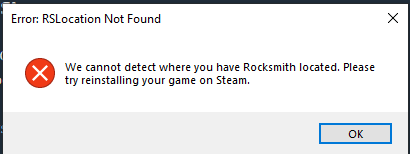
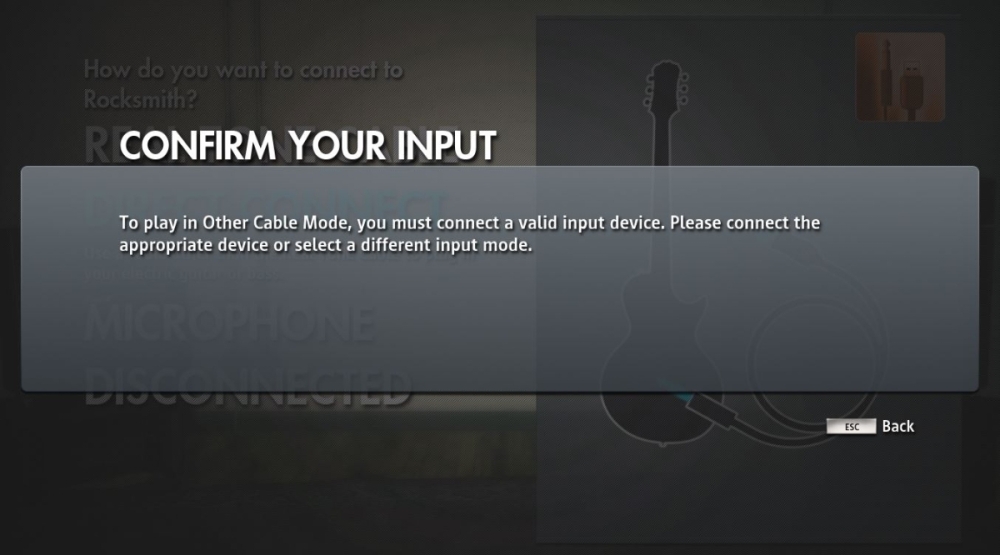
Hey everyone! I just discovered this place! I have 2014 Rocksmith Remastered (not the new one that came out on Steam) but I'm having trouble with the installer. I keep getting this error:

image.png.662d3f995cba113393dd8d7884fe1513.png


I've done all I can to fix this (disabling Antivirus, stopping Steam services, checking Resource Monitor and Process Explorer, deleting Rocksmith.ini, running as Administrator) but none of it has worked. Don't know what else to do. Any suggestions?

28 minutes ago, CAROCKSY said:

Hey everyone! I just discovered this place! I have 2014 Rocksmith Remastered (not the new one that came out on Steam) but I'm having trouble with the installer. I keep getting this error:

image.png.662d3f995cba113393dd8d7884fe1513.png

I've done all I can to fix this (disabling Antivirus, stopping Steam services, checking Resource Monitor and Process Explorer, deleting Rocksmith.ini, running as Administrator) but none of it has worked. Don't know what else to do. Any suggestions?

Just went even further and disabled startup services on msconfig and tried Safe Mode as well. Tried all at the same time and I still get the error.

Join the conversation

You can post now and register later. If you have an account, sign in now to post with your account.

Guest
Unfortunately, your content contains terms that we do not allow. Please edit your content to remove the highlighted words below.
Reply to this topic...

Recently Browsing 0

  • No registered users viewing this page.


Important Information

By using this site, you agree to our Guidelines. We have placed cookies on your device to help make this website better. You can adjust your cookie settings, otherwise we'll assume you're okay to continue. - Privacy Policy

Configure browser push notifications

Chrome (Android)
  1. Tap the lock icon next to the address bar.
  2. Tap Permissions → Notifications.
  3. Adjust your preference.
Chrome (Desktop)
  1. Click the padlock icon in the address bar.
  2. Select Site settings.
  3. Find Notifications and adjust your preference.