Jump to content

Latest EOF releases (1-24-2025)

  • Popular Post

Hi, folks.

I'll be using this thread to maintain the latest versions of EOF in one place. To start, download and extract EOF 1.8RC13:
https://ignition4.customsforge.com/eof

You can keep that zip file handy to avoid downloading it more than once. When I release a new hotfix, all you have to do is replace the files from the above zip file with the ones from the hotfix.  The latest hotfixes get posted in the same place:
https://ignition4.customsforge.com/eof

*If you use a non QWERTY US English keyboard layout, and keyboard controls/shortcuts aren't working for you, please make a post describing what keyboard shortcuts aren't working, and what the Info panel says the "CODE" and "ASCII" values are after you use each of the keyboard controls in question.

I used to make Mac releases, but Apple dropped support for 32 bit applications so the user base dwindled away and I can't port the entire application to 64 bit at this time.  The latest Mac build (2-7-2025) is here:
https://ignition4.customsforge.com/eof/download/17
Unless you have oggenc and LAME installed (these don't come with the Mac build for licensing reasons), you won't be able to have EOF automatically convert from MP3 to OGG when you create a new chart. If you have trouble getting those set up on your system, here is a package that should get them installed and usable by EOF:
https://www.mediafire.com/file/scst6bd5317m7xm/eof_utilities.pkg/file

Please provide any and all feedback, including bugs and feature requests. If possible, also please review the included documentation (manual, tutorials) and let me know if you find any room for improvement there. Eventually I plan to add a Rocksmith authoring section to the pro guitar tutorial, but the community's knowledge of the Rocksmith songs' makeup changes pretty quickly so it's hard to know when particular features are considered fully known. For any features that ARE fully known (like anchors), please feel free to remind me if they aren't incorporated into EOF yet, in case I missed any information being passed around on this forum or the Google group.

Note: If you are reporting a bug, please specify which hotfix (date) you're using. I release hotfixes on a somewhat random schedule, sometimes more than once per day, so the issue being reported may have been fixed in a release you haven't tried yet.

  • Replies 2.7k
  • Views 935.9k
  • Created
  • Last Reply

Top Posters In This Topic

Most Popular Posts

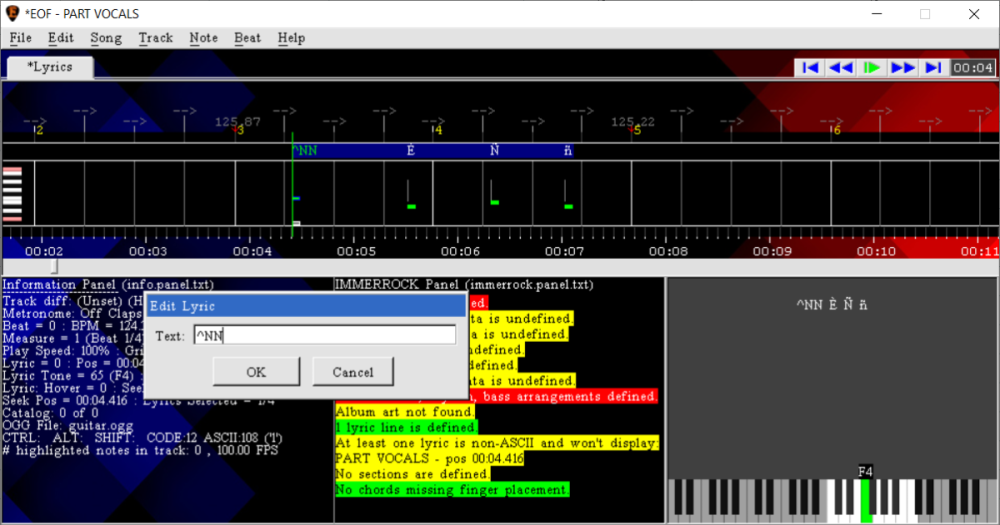
  • Hi, folks. The latest hotfix (r1363) is in the first post. Changes are as follows: *Added a warning during save if any lyrics have extended ASCII or Unicode characters, as these aren't compatible wit

  • Hi, folks. The latest hotfix (r1378) is in the first post. Changes are as follows: *Improved GP import to process bend status for grace notes, it will apply a bend strength to the grace note correspo

  • Hi, folks. The latest hotfix (12-1-2016) is in the first post. Changes are as follows: *Fixed bugs with RS import that prevented slides for chords from being correctly imported. *Fixed bugs with GP

Posted Images
Featured Replies

  • Author

A new EOF hotfix (for Windows, Mac will be posted later) is up (https://ignition4.customsforge.com/eof). Changes are as follows:

*Added a warning during IMMERROCK and Drums Rock exports if no chart audio is loaded.

***Updated IMMERROCK export to suppress the display of a couple error messages if quick save is being performed, since it is intended to save without displaying errors.

*Changed the "Edit pro guitar note" dialog so that EOF only offers to apply the name to/from matching notes if the last selected note is a chord.

*Added logic so that when tech notes or FHPs are recreated during paste, they are automatically grid snapped if the source tech notes or FHPs were grid snapped.

*Added ALT+, and ALT+. as alternate shortcuts for zoom out and zoom in, ie. for keyboards that don't have a numpad.

*Added a Note>Dance>Mine menu, with functions to define mine notes in the dance track, which have an "M" tab notation and render in the piano roll as black notes and in the 3D preview with their own mine graphic.

*Added a Note>Dance>Roll menu, with functions to define roll notes in the dance track, which have an "R" tab notation and render in the piano roll with a white background.

*Added Note>Drum>Accent>Toggle>All and Note>Drum>Ghost>Toggle>All menu functions.

*Added Stepmania import logic (using File>Import>Stepmania or by command line), to import dance-single (4 lanes) type charts, including tap, hold, roll and mine notes. As this chart format defines all note timings as subdivisions of measures, imported notes are resnapped to the tempo map to ensure accuracy. If the tempo map is locked, the notes are allowed to import but the project's existing tempo map is not altered.

*Updated precise select like so that bend notes must have the same bend strength and slide notes must have the same end of slide position to be considered a match.

*Fixed a bug with project load where if a chart had an INI entry that is missing an equal sign, a corrupted INI entry would be added to the project.

*Added an Edit button to the "File>Default INI settings" and "Song>INI settings" dialogs.

*Fixed a bug with MIDI import where LLPLUS detection logic would prevent the correct handling of Rock Band 3 tom markers.

*Removed old FoFiX related MIDI export behavior that caused up to 5ms of padding to be inserted between the start of each lyric phrase and the first lyric in the phrase, causing the timing of the first lyric of each phrase to be altered.

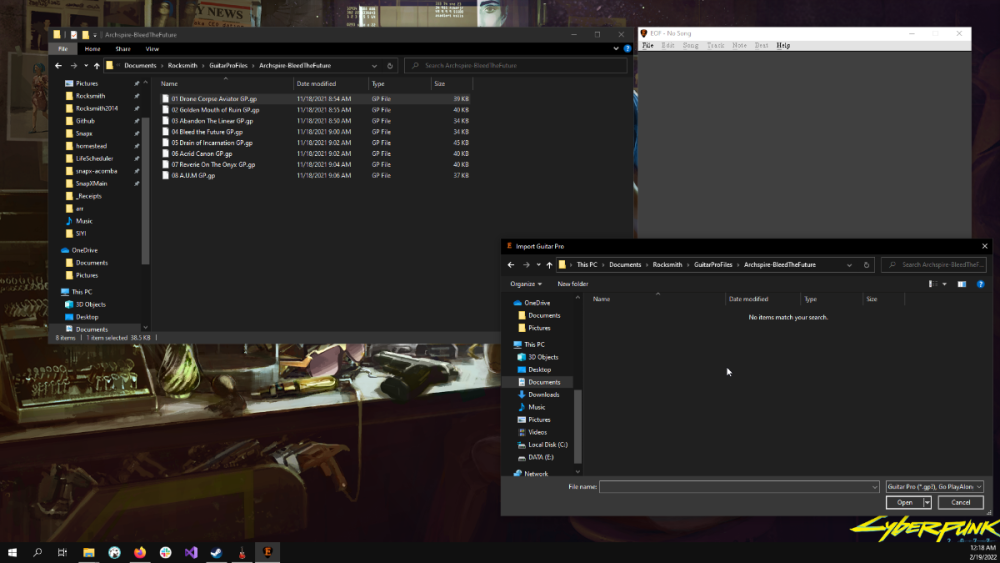
*Improved the Guitar Pro import logic for slides. If the Guitar Pro file defines a slide to fret 0, it is now imported as an unpitched slide to fret 1. If the Guitar Pro file defines a chord with open notes that slides up, it now defines the slide end position more accurately by only evaluating strings that were fretted at the beginning of the slide.

*Changed the "GP import truncates short chords" preference to be disabled by default, which is preferred for Rocksmith authoring.

*Changed Guitar Pro import to not automatically remove the sustain from a chord that is string or palm muted. The "GP import truncates short chords" preference is still allowed to affect such muted notes though.

*Improved IMMERROCK export so that if the project has no song title or artist name defined in Song>Properties, the files are exported into a subfolder called "IMMERROCK" instead of directly to the project folder.

*Updated precise select like so that two notes that have different lengths but otherwise are the same are allowed to match as long as both have sustain or both have no sustain.

  • 2 weeks later...
  • Author

A new EOF hotfix (for Windows, Mac will be posted later) is up (https://ignition4.customsforge.com/eof). Changes are as follows:

*Changed the tone list dialog to show the timings as mm:ss.ms.

*Added CTRL+M as a shortcut for Note>Dance>Mine>Toggle>All when the dance track is active.

*Fixed a bug where the information panel would not take the capo into account when displaying the selected pro guitar note's tone names if the default "Ignore tuning/capo" track setting is in place.

*Improved the handling of the "Make note tails clickable" and "Make lyric tails clickable" preferences so that they don't cause notes to be altered when they are as far as half a grid snap away from the mouse.

*Added error checking for when the selected OGG file is incompatible and not properly loaded in EOF.

*Added a CTRL+, shortcut to toggle overdrive on selected lyric lines.

*Fixed a bug with paste logic that could cause it to malfunction, such as not recreating FHPs at the correct positions.

*Updated the Rocksmith panel to display errors if there is a tempo of less than 40BPM or more than 300BPM.

*Added a warning during normal save if Rocksmith export is enabled and any tempo changes are below 40BPM or above 300BPM.

*Improved the undo system to remember when an import was not saved, so if a chart of any of various formats is imported, a change is made and is undone, the project remains marked as modified.

*Added an error to the Rocksmith panel for when a track uses more than 4 tone names.

*Updated Feedback import to load the album, year and genre tags if present.

*Added a "Beat>Events>Copy From" menu allowing the text events specific to the active track to be replaced with those from another track.

*Improved CTRL+click to set the selected note to the first note that remains selected, if any, so the remaining selected notes can be easily edited together with more complex functions like "Edit pro guitar note".

*Added logic so that if Guitar Pro import fails or is canceled, EOF will undo any changes made.

*Improved the audio loading logic so that if the audio fails to load, the import/project is allowed to remain open with no chart audio in use.

*Added the ability to link to ffmpeg.exe using the "File>Link to>FFMPEG" function. When selected chart audio fails to load when creating a new project and FFMPEG is linked, EOF will try to use FFMPEG to encode the audio to OGG format and try loading it again. If FFMPEG is linked, the new chart wizard will use it to offer converting more audio formats to OGG.

*Improved the Rocksmith panel by suppressing the most CPU intensive checks during chart playback, so they don't cause the program to lag and affect the playback.

*Updated IMMERROCK export to export the manually defined track name (imported from Rocksmith file or set by Track>Rename) to Info.txt. The IMMERROCK panel will display the active track's custom name, if one is defined.

*Updated save logic so EOF's program window title bar will reflect when the project is saving, since complex projects may take several seconds to save depending on which exports are enabled.

*Updated IMMERROCK export to write chart comments to Info.txt, which is defined as the "Loading text" field in Song>Properties.

*Updated IMMERROCK export to write lead, rhythm and bass arrangement comments to Info.txt, which is defined in "Song>INI Settings" as "Comment_Lead = Comment", "Comment_Rhythm = Comment" and "Comment_Bass = Comment".

Join the conversation

You can post now and register later. If you have an account, sign in now to post with your account.
Note: Your post will require moderator approval before it will be visible.

Guest
Unfortunately, your content contains terms that we do not allow. Please edit your content to remove the highlighted words below.
Reply to this topic...

Recently Browsing 0

  • No registered users viewing this page.


Important Information

By using this site, you agree to our Guidelines. We have placed cookies on your device to help make this website better. You can adjust your cookie settings, otherwise we'll assume you're okay to continue. - Privacy Policy

Account

Navigation

Search

Configure browser push notifications

Chrome (Android)
  1. Tap the lock icon next to the address bar.
  2. Tap Permissions → Notifications.
  3. Adjust your preference.
Chrome (Desktop)
  1. Click the padlock icon in the address bar.
  2. Select Site settings.
  3. Find Notifications and adjust your preference.